Website Development Services: Costs & Inclusions

Website Development Services : What’s Included and What Costs Extra

If you have ever asked three different agencies for a website quote and gotten three wildly different numbers, you are not alone. One agency says ₹15,000. Another says ₹1,50,000. A third asks you to “hop on a call” before they will say anything at all. None of this is a scam, exactly, but it does mean the same two words “website development” can point to completely different scopes of work, depending on who you’re talking to.

This guide breaks down what website development services actually include by default, what typically gets billed as an extra, and how to read a quote without feeling like you need a computer science degree to understand it. We work with clinics, retailers, real estate firms, and D2C brands on exactly this kind of project every week, so this is not theory. It is the same breakdown we walk clients through on discovery calls.

What “Website Development Services” Actually Means

Before getting into pricing, it helps to separate two things people often lump together: design and development.

Design is how the site looks and how a visitor moves through it  layout, colors, typography, the path from homepage to enquiry form. Development is the actual build: the code, the backend, the integrations that make the design functional rather than just a picture. A polished mockup that no one has coded yet isn’t a website. It’s a preview of one.

Most agencies offering website development services bundle both under one roof, and that’s usually the smarter setup. It removes the back-and-forth of a designer and a developer blaming each other when something breaks. But it’s worth asking directly which part of the process you’re paying for at each stage, because some freelancers only do one half and outsource the other, which adds a layer you do not see on the invoice.

The Core Deliverables Included in a Standard Package

Every legitimate website development services package, regardless of price point, should include a baseline set of deliverables. Here’s what that baseline typically looks like for a standard 5-8 page business website:

Discovery and planning. A short session to understand your business, your audience, and what the site needs to do — generate leads, sell products, build credibility, or some mix of the three. This shapes everything that follows, including site structure and the technology stack.

Wireframes or a design mockup. A visual layout you approve before any code is written, so you’re reacting to a plan rather than a finished product you now have to unwind.

Responsive design. The site needs to work properly on a phone, not just look acceptable on one. Given how much traffic comes from mobile devices today, this isn’t optional anymore — it’s the baseline, not a premium add-on.

Core pages. Home, About, Services, Contact, and usually a handful of interior pages depending on your business. A clinic needs different pages than a real estate firm, and a decent developer will scope this around what you actually sell, not a generic template.

Basic on-page SEO setup. Page titles, meta descriptions, header structure, and a sitemap submitted to search engines. This is foundational SEO, not a full search engine optimization campaign more on that distinction below.

Contact forms and basic integrations. An enquiry form that actually emails you, click-to-call buttons, maybe a WhatsApp chat widget.

CMS access. If the site is built on WordPress or a similar content management system, you should be able to log in and edit text or swap images yourself without calling the developer every time.

A launch checklist. SSL certificate, browser and device testing, broken-link checks, and speed testing before the site goes live.

If a quote is missing more than one or two of these, it’s worth asking why either the price reflects that gap, or it’s an oversight that will surface as a support request later.

What Typically Costs Extra (and Why)

This is the part most quotes gloss over, and it’s usually where the final invoice ends up higher than the first number you were quoted. None of these are hidden fees in a shady sense. They are genuinely separate scopes of work that many businesses don’t need on day one, so agencies leave them out of the base price rather than padding every quote with services you might not want.

E-Commerce Functionality

A brochure site and an online store are not the same build. E-commerce website designing involves product catalogues, payment gateway integration, inventory sync so you don’t oversell stock, and a checkout flow that’s tested separately for mobile since that’s where most shopping traffic actually happens. Whether you build on Shopify, WooCommerce, or a custom cart changes the cost significantly, and that decision usually comes down to your catalogue size and how much control you want over the backend.

Custom Features and Integrations

Booking systems, membership portals, multi-language support, custom calculators, third-party CRM or ERP integration.These are all standard requests, but they’re also all outside a base website build. Each one adds development hours because it’s not a template feature; it has to be built and tested for your specific use case.

Content Writing and Photography

Plenty of quotes assume you’re supplying your own text and images. If you need someone to write the copy for eight pages or arrange a product photoshoot, that’s a separate line item almost everywhere, and it’s worth asking about upfront rather than discovering it mid-project.

Advanced SEO and Ongoing Optimization

Basic on-page setup gets your site technically ready for search engines. It does not mean you will rank. Competitive keyword targeting, content strategy, backlink building, and ongoing optimization are a continuous service, not a one-time setup task which is exactly why search engine optimization is usually sold as its own monthly engagement rather than bundled into a development invoice. If you’re comparing options, our piece on how to choose the right SEO company is a useful companion read before you sign anything.

Paid Advertising Setup

Some businesses want traffic immediately after launch rather than waiting for organic rankings to build. That’s where Pay Per Click campaigns come in Google Ads account setup, conversion tracking, and campaign management are a distinct skill set from building the site itself, and they’re billed separately.

Social Media Integration and Management

Feeds, share buttons, and pixel tracking for platforms like Instagram or Facebook are usually a quick add during development. Actually running your social media marketing  content calendars, posting, community management is an entirely different, ongoing service.

Ongoing Maintenance and Support

Security patches, plugin updates, uptime monitoring, and content changes after launch. Some agencies bundle a few months of this into the base price and then bill monthly after; others treat it as an add-on from day one. Either way, ask specifically what happens the day after launch, because “we’ll support you” means different things to different agencies.

Redesigns of an Existing Site

If you already have a website and want it rebuilt rather than starting fresh, this is its own category with its own risk: a badly planned redesign can tank your search rankings overnight if URLs aren’t mapped and redirected properly. We’ve written a full breakdown of what to check before touching an existing site in our website redesign checklist, and it is worth reading even if you’re planning to hire someone else for the job.

How Pricing Actually Breaks Down

Because scope varies this much, a single flat number rarely tells you anything useful. Here’s a more honest way to think about it, based on the kind of ranges we see across the market:

  • A basic 5-6 page business site, template-based or lightly customized, with standard integrations, sits at the lower end of the range. Fine for a service business that needs credibility and a contact form more than heavy functionality.
  • A custom-built business website, scoped around your specific sales process with original design work, costs more but avoids the “looks like everyone else’s site” problem.
  • E-commerce builds run higher, and the range within e-commerce itself is wide — a 50-product WooCommerce store and a multi-thousand-SKU platform with inventory sync are not priced the same way.
  • Ongoing services — SEO, PPC, social media, maintenance are typically monthly costs layered on top of the one-time development cost, not folded into it.

If an agency gives you one number without asking a single question about your business first, that number is a guess, not a quote. A discovery call before pricing isn’t a sales tactic. It is the only way to price the work accurately. If you want a starting reference point rather than an open-ended conversation, our web development packages page breaks down tiers by scope.

Questions to Ask Before You Sign

A few pointed questions tend to surface the gaps in a proposal faster than reading the fine print:

  • Does this quote include content writing, or am I supplying the text?
  • What happens after launch is there a support period included, and what does it cover?
  • Do I get full ownership of the code, hosting, and CMS login, or is any part of this locked to your agency?
  • If I need to redesign later, how do you protect my existing search rankings?
  • Is SEO setup limited to on-page basics, or does it include ongoing work?

Ask for a live client site older than a year and how the agency handled a downtime incident on it. A team that’s actually maintained sites long-term will have a real answer. One that’s only ever done launches and moved on usually won’t.

A Quick Word on Timelines

Cost is not the only thing that varies timelines do too, and they’re connected. A standard business website typically takes three to five weeks from an approved design to launch. E-commerce builds with custom features usually run six to ten weeks, given the added testing for payment gateways and inventory logic. Redesigns can move faster if you’re keeping existing content and mainly rebuilding structure and design, but only if the planning phase mapping URLs, checking what’s driving current traffic  is done properly first.

If someone promises a fully custom site in three days, that’s a red flag, not a selling point.

FAQ

How much does website development cost?

It depends entirely on scope. A basic 5-6 page site starts at a different price point than a custom e-commerce build with inventory and payment integration. A fixed quote after a short discovery call is more useful than a generic price range, since “it depends” is honestly the accurate answer until someone understands your project.

What is included in a standard website development package?

Discovery and planning, wireframes or design mockups, responsive design, core pages, basic on-page SEO setup, contact forms, CMS access, and pre-launch testing. Anything beyond that  e-commerce, custom integrations, content writing, ongoing SEO  is typically scoped and priced separately.

Is SEO included when I pay for website development?

Basic on-page elements usually are page titles, meta descriptions, a clean site structure, and a sitemap. Ongoing search engine optimization, including content strategy and link building, is a separate, continuous service because it requires ongoing work, not a one-time setup.

Do I own my website once it’s built?

With a reputable developer, yes full ownership of the code, CMS, and hosting access. If an agency is vague about handing over logins or insists you stay on their hosting indefinitely, ask why before signing anything.

Can I redesign my website without losing my search rankings?

Yes, if it’s planned properly. This is one of the most common ways businesses lose traffic during a redesign existing URLs need to be mapped and redirected, and indexed content structure needs to be preserved before design changes go live. Our website redesign checklist covers the full process.

How long does website development take?

A standard business website typically takes three to five weeks from an approved design to launch. E-commerce builds usually take six to ten weeks depending on custom features. Redesigns can be quicker if existing content is being kept.

Do website development services include ongoing maintenance?

It depends on the agency. Some bundle a support period into the initial price; others treat maintenance as a separate monthly service. Either way, this should be spelled out in the proposal, not discovered after launch.

What’s the difference between a website designing company and a development company?

Design covers how the site looks and how users move through it. Development is the actual build code, backend, integrations. Many agencies, including ours, handle both together so you are not managing two separate vendors and the miscommunication that tends to come with it.

The Short Version

Website development services are not a single fixed product. They are a set of building blocks, and which ones you need depends on what your business actually sells and how customers find you. A clear proposal will separate the core build from the extras: e-commerce functionality, custom integrations, content, ongoing SEO, paid advertising, and post-launch support. Once you can see those pieces individually, comparing quotes stops being a guessing game and starts being a straightforward decision about what your business needs right now versus what can wait.

If you are weighing your options and want a quote scoped to your actual project rather than a generic range, take a look at our website development services or reach out for a no-obligation discovery call.

Best Web Designing Company for Website Development

Website Development Services: How to Pick the Best Web Designing Company in 2026

If you have ever typed “web designer near me” into Google at midnight while staring at a website that still looks like it was built in 2014, you already know the frustration this article is about to solve. Every business owner reaches a point where the old site stops doing its job. Pages take forever to load, the design looks dated on a phone, and leads that used to come in through the contact form have quietly dried up. That is usually the moment people start looking for real website development services instead of another quick patch job.

The problem is that “web designer” has become one of the most crowded search terms on the internet. Everyone claims to be the best. Everyone shows a portfolio of clean-looking templates. Very few actually explain what goes into building a site that ranks, loads fast, and converts visitors into paying customers. This guide is written from the other side of that process — the side that has sat through client calls, fixed broken checkout pages, and rebuilt sites that were never built to grow in the first place.

By the end, you will know exactly what separates a template-slinging freelancer from a genuine web designing company, what questions to ask before signing a contract, and why the platform you choose (WordPress, Shopify, or custom code) matters far more than most agencies admit upfront.

Why Website Development Services Matter More Than Ever

A website used to be a digital brochure. Today it is closer to a full-time employee one that talks to customers at 2 AM, answers questions, takes payments, and either builds trust in the first five seconds or loses the visitor for good. Google’s own research has shown for years that a huge share of mobile visitors abandon a page if it takes more than a few seconds to load, and that number only gets worse every year as attention spans shrink.

That is why proper website development services now cover far more than “make it look nice.” A serious project includes:

  • Mobile-first design, since most Indian traffic now comes from phones, not desktops
  • Clean, semantic code that search engines can actually read and understand
  • Fast hosting and image optimization so pages load in under three seconds
  • Clear calls to action that guide a visitor toward calling, messaging, or buying
  • A structure built to support content and blog growth over time, not just five static pages

If your current site is missing even two or three of these, you are not competing on a level playing field with businesses that took web development seriously from day one. This is also exactly where a business benefits from pairing development with ongoing search engine optimization, because a beautifully built site that nobody finds is still an expensive brochure.

What a Web Designing Company Actually Does (Beyond Making Things Pretty)

There is a common misconception that a web designing company is just a group of people who pick colors and fonts. In reality, a competent team is juggling several disciplines at once, and each one affects the final result.

Visual design covers layout, typography, color psychology, and how the eye moves across a page. This is the part most people notice first, and it matters a cluttered, inconsistent design quietly signals “this business cuts corners” even if the products or services behind it are excellent.

User experience (UX) is the part people feel without necessarily naming it. It is the difference between a visitor finding your pricing page in two clicks versus giving up after scrolling through five menus. Good UX is almost invisible when done right and painfully obvious when done wrong.

Development and code quality decide whether the site actually works the way it was designed to. A gorgeous mockup means nothing if the contact form breaks on Safari or the site collapses the moment traffic spikes during a sale.

Content structure ties design and development together with the words, headings, and information visitors actually came for. This is also where internal groundwork for ranking gets laid proper heading tags, readable content blocks, and a logical page hierarchy.

A real agency treats these four pieces as one connected system, not four separate departments that never talk to each other. That connected approach is usually the clearest sign you are dealing with an experienced website development team rather than a one-person freelance setup juggling ten unrelated projects at once.

How to Identify the Best Web Designing Company for Your Business

“Best” is subjective, but there are concrete, checkable signs that separate agencies who deliver from agencies who talk well in a sales call.

1. They ask about your business before showing you templates. A team that jumps straight to “here are our packages” without understanding your industry, competitors, or customer journey is optimizing for a quick sale, not a working website.

2. They can explain their process in plain language. If you ask how long a typical project takes and get a vague answer, that is a warning sign. A team that has done this hundreds of times can walk you through discovery, wireframing, design, development, testing, and launch without stumbling.

3. Their own website performs well. This sounds obvious, but it is skipped constantly. Check their site speed, check if it looks decent on your phone, and check whether their own blog is active and useful. A digital agency with a slow, outdated site is not a great advertisement for their skills.

4. They show real client results, not just screenshots. Ask for examples of sites they built and, if possible, some indication of the results more inquiries, better rankings, higher conversion rates. Anyone can show a pretty screenshot; fewer can show what it actually did for the business.

5. They talk about SEO from day one, not as an afterthought. Building a site and then “adding SEO later” almost always means costly rework. The best web designing company builds pages with search visibility, site structure, and page speed in mind from the very first wireframe, and often ties this into a broader plan that borrows from how to choose the right SEO partner the same due diligence applies here.

What Sets a Website Developer Company Apart From a Freelancer

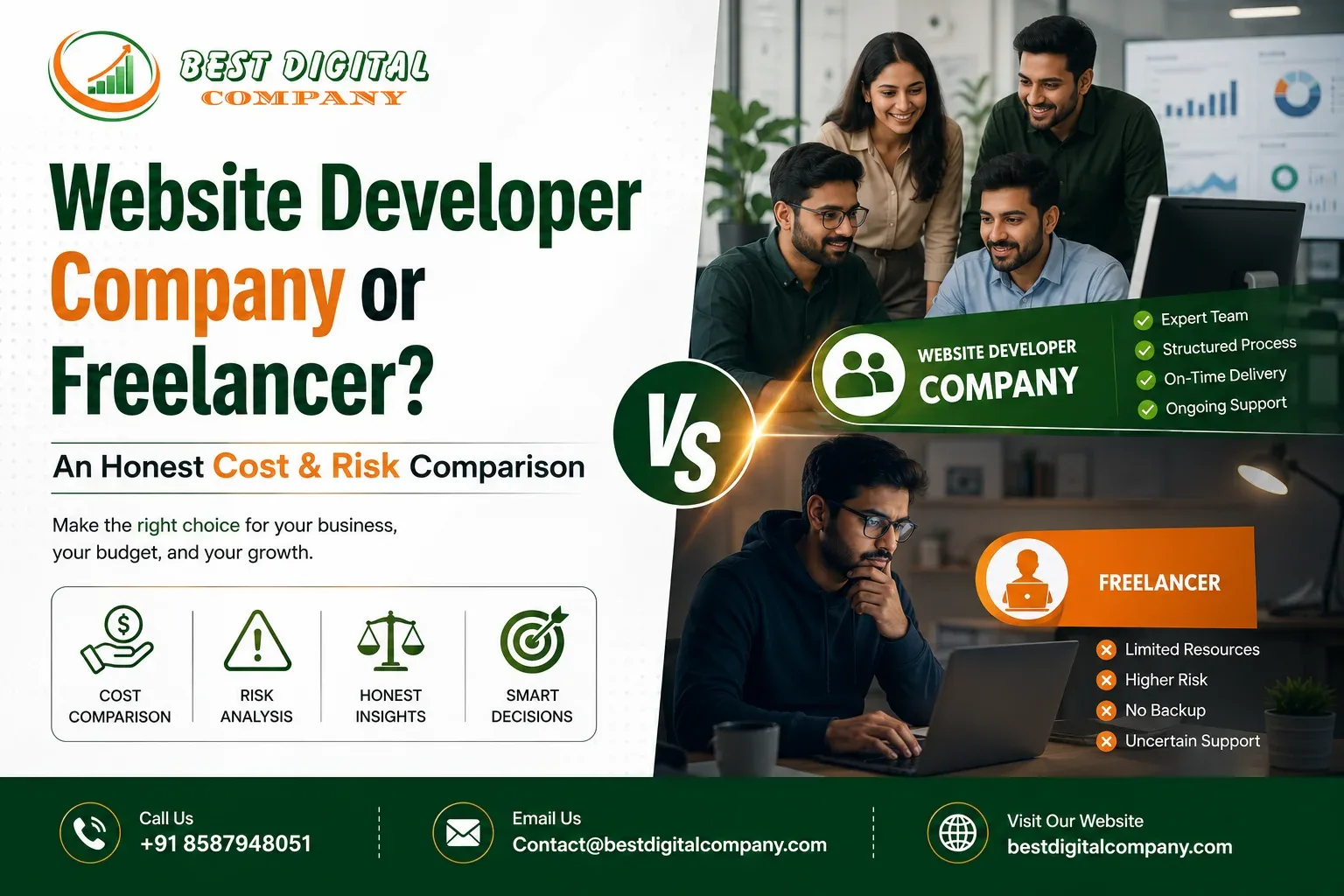
Freelancers absolutely have their place, especially for very small, simple projects. But there is a reason growing businesses eventually move to a full website developer company, and it usually comes down to redundancy, accountability, and range of skill.

A freelancer is one person with one skill set, one calendar, and one set of working hours. If they get sick, go on vacation, or simply move on to a bigger client, your project stalls sometimes indefinitely. A company has a design lead, a developer, a project manager, and often a content or SEO specialist working in parallel, which means deadlines are far less likely to slip because one person had a family emergency.

There is also the question of scope. A freelancer might be excellent at basic WordPress sites but have no experience with e-commerce integrations, custom booking systems, or multi-language setups. A company that has handled a wider range of projects is more likely to have already solved the specific technical problem your business is about to run into.

None of this means every freelancer is unreliable or every agency is trustworthy plenty of solo developers run tight, professional operations. The point is simply that scale and structure reduce risk, which matters a great deal when your website is directly tied to revenue.

Choosing the Right Website Making Company: Key Factors to Compare

When you are comparing a shortlist of agencies, it helps to have a checklist rather than going purely on gut feeling. Here is what actually matters when evaluating a website making company:

  • Portfolio relevance — Have they built sites for businesses similar in size or industry to yours? A portfolio full of restaurant sites does not necessarily translate to strong e-commerce experience.
  • Technology stack — Are they using outdated page builders, or modern, well-supported platforms? Ask directly what CMS or framework they plan to use and why.
  • Ownership of your site — Confirm you will own the domain, hosting account, and all source files. Some agencies quietly retain control, which becomes a serious problem if you ever want to switch providers.
  • Post-launch support — Websites need updates, security patches, and occasional fixes. Ask what happens after launch and whether support is included or billed separately.
  • Timeline and communication style — Do they give realistic deadlines, or promise a full custom build in three days? Overpromising on time is one of the most common ways projects go wrong.
  • Pricing transparency — Fixed project pricing, milestone-based payments, and a written scope of work protect both sides from misunderstandings later.

If you want a structured starting point, browsing a set web development packages page from a company you are considering can tell you a lot not just about pricing, but about how clearly they define what is and is not included.

Signs You have Found the Best Web Designer for Your Project

Sometimes you are not hiring a full agency you need one skilled individual for a smaller job, a redesign, or a specific fix. Finding the best web designer for that kind of work comes down to a slightly different set of signals.

Look at how they communicate before you have even signed anything. Do they ask thoughtful questions about your goals, or do they jump straight into technical jargon? A strong designer translates your business needs into design decisions and can explain why a particular layout or color choice serves a purpose, rather than just “because it looks good.”

Check their responsiveness during the sales conversation itself. If replies take days during the stage when they are trying to win your business, it will likely get worse once the contract is signed and their attention shifts elsewhere.

Finally, ask to see unfinished or in-progress work, not just polished final pieces. Seeing how someone handles feedback and revisions tells you far more about what working with them will actually feel like than a finished portfolio piece ever will.

What Makes a Best Web Development Company Different in 2026

The bar for what counts as good web development has moved considerably. A few years ago, a mobile-responsive site with decent load times was enough to stand out. That is no longer true. Here is what genuinely separates a best web development company from an average one this year.

They build with Core Web Vitals in mind, not as an afterthought fixed after launch. Page experience signals are baked into planning from the start image formats, lazy loading, and clean code that does not bloat load times.

They understand accessibility. Alt text, proper contrast ratios, and keyboard navigation are not just nice extras; they widen your audience and reduce legal risk in many markets.

They plan for content growth. A site that only supports five static pages will need an expensive rebuild the moment you want to start publishing a blog, add a resources section, or launch a new service line. Structuring the site to grow avoids that cost later.

They integrate marketing channels rather than treating the website as isolated. A site built to work smoothly with paid campaigns and organic content performs far better than one designed in a vacuum. This is where a connected approach development alongside PPC services and social media marketing tends to outperform a website built purely as a standalone project.

Features to Expect From the Best Website Designing Company

When evaluating proposals, it helps to know exactly what should be included as standard rather than sold to you as a costly add-on. The best website designing company will typically include:

  1. A mobile-first, responsive layout that adapts cleanly across phones, tablets, and desktops
  2. Basic on-page SEO setup meta titles, descriptions, header structure, and clean URLs
  3. SSL security and basic technical hardening against common vulnerabilities
  4. Fast-loading images and a caching setup appropriate to your hosting environment
  5. A content management system you can actually use without calling a developer every time you need to change a phone number
  6. Clear analytics tracking set up before launch, not weeks after

If a proposal is missing several of these and treats them as premium extras, that is worth questioning directly during the sales conversation.

Why You Need a Specialized E Commerce Development Company

Selling products online is a fundamentally different challenge than running a brochure-style business site, which is why a dedicated e commerce development company exists as its own specialty rather than a side offering.

An online store has to handle inventory syncing, secure payment gateways, tax calculations that may differ by region, shipping integrations, abandoned cart recovery, and product search that actually returns relevant results as your catalog grows. Get any of these wrong and the cost shows up directly in lost sales, not just a slightly worse-looking page.

Security is a particularly high-stakes area here. Payment data, customer addresses, and order history all pass through your store, and a poorly secured checkout process is not just a technical embarrassment it is a liability. A team with genuine e-commerce experience will know how to configure payment gateways correctly, keep plugins and dependencies patched, and set up proper backups before launch, not after a problem occurs.

Speed matters more in e-commerce than almost anywhere else online. Studies on shopping cart abandonment consistently point to slow checkout flows and confusing navigation as two of the biggest reasons carts get abandoned. A team that has built dozens of stores has already run into and solved these friction points; a team building its first store is learning at your expense.

Choosing an E Commerce Website Designing Company: A Practical Checklist

If you are specifically hiring an e commerce website designing company, a few extra questions belong on your checklist beyond the general ones covered earlier.

Ask which platform they recommend and why Shopify, WooCommerce, and custom-built stores each have real trade-offs around cost, flexibility, and long-term maintenance, and a good team will walk you through the reasoning rather than defaulting to whichever platform they personally find easiest to build.

Ask how they handle product data at scale. If you plan to list hundreds or thousands of products, manual entry is not realistic, and you will want to know upfront whether they can set up bulk import tools or integrations with your existing inventory system.

Ask about mobile checkout specifically, separate from general mobile responsiveness. A huge share of online shopping happens on phones, and a checkout flow that works on desktop but feels clumsy on mobile will quietly cost you sales every single day it stays that way.

Finally, ask what happens after launch if a payment gateway fails or a product page breaks during a sale. Response time during those moments matters far more than almost anything discussed during the sales pitch, and it is worth getting a clear answer in writing before you commit.

Bringing It All Together

Choosing the right partner for your website is not a decision to rush, and it is also not a decision to overthink into paralysis. The framework is fairly simple once you strip away the marketing language: look for a team that understands both design and the technical fundamentals, that builds with search visibility and speed in mind from day one, that is transparent about pricing and ownership, and that has specific, relevant experience for your type of project whether that is a service business site or a full online store.

A well-built website pays for itself many times over through the leads, sales, and trust it generates. A poorly built one quietly costs you customers every single day it stays online, often without you ever realizing exactly how much traffic and revenue is slipping away. Taking the time to vet a team properly now is considerably cheaper than rebuilding from scratch in eighteen months, which is exactly what happens to businesses that chase the lowest quote instead of the right fit. For a longer-term view of how a strong site and strong content work together, it is also worth reading through how small businesses win their first 100 customers the website is the foundation, but it rarely works in isolation from the marketing built around it.


Frequently Asked Questions

How much do website development services typically cost?

Costs vary widely based on complexity a simple five-page business site costs far less than a custom e-commerce store with hundreds of products. Rather than chasing the cheapest quote, compare what is actually included: design, development, basic SEO setup, testing, and post-launch support. A detailed web development packages breakdown from a provider you are considering is the fastest way to compare like for like.

How long does it take to build a professional website?

A straightforward business website usually takes a few weeks from discovery to launch, while a more complex e-commerce store or custom-built platform can take longer depending on the number of integrations, product catalog size, and how quickly content and images are provided by the client. Delays most often come from the client side slow content approval or missing assets rather than the development team.

Do I need a new website if my current one already ranks on Google?

Not necessarily, and a full rebuild is not always the right first step. Sometimes targeted improvements faster load times, better mobile design, clearer calls to action solve the problem without touching what is already working for rankings. A good agency will audit your existing site honestly before recommending a full rebuild, rather than pushing a new build by default.

What is the difference between web design and web development?

Design covers the visual layout, colors, typography, and overall look and feel of a site. Development is the technical build the actual code that makes the design functional, interactive, and connected to databases or payment systems. Most modern projects need both working closely together, which is exactly why hiring a connected team tends to produce better results than hiring a designer and developer separately who have never worked together before.

Can a website really help with SEO, or is that a separate service?

The two are deeply connected. Site structure, page speed, mobile-friendliness, and clean code all directly affect how well a site can rank, which is why on-page fundamentals should be built in from the start rather than patched on afterward. Ongoing search engine optimization work then builds on that solid technical foundation rather than fighting against it.

What platform is best for an online store – Shopify, WooCommerce, or custom development?

There is no single correct answer; it depends on your catalog size, budget, and how much customization you need. Shopify suits businesses that want a managed, low-maintenance setup. WooCommerce offers more flexibility for WordPress users already familiar with that ecosystem. Fully custom development makes sense for larger businesses with specific workflow or integration needs that off-the-shelf platforms cannot handle well.

How do I know if a web designing company is trustworthy before signing a contract?

Ask for references you can actually contact, check whether their own website performs well, confirm in writing that you will retain full ownership of your domain, hosting, and files, and get a clear scope of work with milestones before any payment is made. Agencies confident in their work rarely hesitate to provide any of this.

Does my website need to be mobile-optimized even if most of my customers use desktops?

Yes, almost always. Even in industries where desktop research or purchases are common, a large share of initial discovery now happens on mobile through search or social media. A site that looks broken or slow on a phone loses that first impression before a visitor ever gets to a desktop screen.

How to Choose the Best PPC Company for Your Business in 2026

How to Choose the Best PPC Company for Your Business in 2026

If you have ever typed “PPC company near me” into Google at midnight while staring at a Google Ads dashboard that is burning money without bringing in a single lead, you already know how frustrating paid advertising can be without the right partner. Running ads is easy. Running ads that actually make money is a completely different skill, and it is the reason so many business owners eventually go looking for a performance marketing agency instead of trying to figure it out alone.

This guide walks through what a genuine performance marketing company does differently, how to separate a best PPC company from one that is simply good at selling itself, and what to check before you hand over your ad budget to any PPC advertising agency. We will also answer the questions we hear most often from business owners in our first strategy call, so by the end you will know exactly what to look for.

Why Businesses Are Turning to a Performance Marketing Agency in 2026

A few years ago, most companies split their marketing into separate buckets: one team for the website, another for social posts, and someone else handling ads whenever there was budget left over. That approach does not hold up anymore. Ad platforms have become smarter, more automated, and far more competitive, which means campaigns that “sort of work” quietly waste thousands of rupees every month without anyone noticing.

A performance marketing agency exists to close that gap. Instead of billing you for hours spent “managing” a campaign, a genuine performance-driven team ties its work to outcomes you can actually measure: cost per lead, cost per acquisition, return on ad spend, and revenue. This is a different mindset from traditional advertising, where the goal was often just visibility. With performance marketing, every rupee spent has to justify itself, and every campaign is judged by the results it produces, not the creativity of the ad copy alone.

This shift matters even more if your website already has strong organic traffic. Businesses that have invested in search engine optimization often see PPC as the fastest way to fill the gap while their organic rankings climb, since paid campaigns can start driving qualified visitors within a day or two, unlike SEO, which typically takes months to show its full impact.

What Does a PPC Company Actually Do?

At its core, a PPC company manages paid advertising campaigns on your behalf, from research and setup to daily optimization and reporting. But “managing ads” undersells the actual work involved. A capable team is doing several jobs at once:

  • Keyword and audience research to understand exactly who is searching for what you sell, and how much competitors are willing to pay for that same click.
  • Ad copywriting and creative testing so your ads stand out instead of blending into a feed of near-identical competitors.
  • Bid strategy management to make sure your budget is spent on the clicks most likely to convert, not just the ones that are cheapest.
  • Landing page alignment because even the best ad in the world will not convert if it sends traffic to a page that does not match what the person was searching for.
  • Continuous testing and reporting so decisions are based on real data rather than guesswork.

If a provider is only doing the first two items on that list, they are not really running a performance campaign. They are just placing ads and hoping.

Performance Marketing Company vs a Traditional Ad Vendor: What’s the Difference

This is one of the most common points of confusion we run into. Plenty of freelancers and small agencies will happily “run your Google Ads,” but there is a real difference between someone who sets up a campaign and someone who manages it like a growth channel.

A traditional vendor typically sets a campaign live, checks in once a month, and reports on surface-level numbers like impressions and clicks. A true performance marketing company treats every campaign as a living system. Budgets shift toward what is working. Underperforming keywords get paused. Ad copy is rewritten based on what the data shows, not what looks good on paper. And most importantly, reporting focuses on business outcomes leads, sales, bookings not vanity metrics that look impressive but do not pay the bills.

If you are also investing in content or organic visibility, it helps to work with a team that understands how paid and organic channels support each other. For example, we have written before about how to improve EEAT for better Google rankings, and the same principles of trust and credibility that Google rewards organically also influence how well your landing pages convert paid traffic.

Signs You are Working With the Best PPC Company

There is no single certificate that proves an agency is the right fit for your business, but there are patterns you can watch for. Here is what tends to separate the best PPC company for your industry from one that just sounds confident in a sales call.

They ask about your business before talking about budgets. A team that jumps straight to “how much can you spend” without understanding your margins, sales cycle, or customer lifetime value is optimizing for their own convenience, not your results.

They are honest about timelines. PPC can generate traffic almost immediately, but real optimization the kind that actually lowers your cost per lead usually takes a few weeks of data collection. Anyone who promises overnight miracles is either inexperienced or not being straight with you.

They show you the account, not just a slide deck. Transparent reporting means access to the actual Google Ads or Meta Ads dashboard, not a polished PDF summary once a month. If an agency is reluctant to give you visibility into your own account, that is worth questioning.

They connect ad performance to your website experience. Paid traffic that lands on a slow, confusing, or outdated page will always underperform, no matter how well the ad itself is written. A serious agency will flag this and, if needed, bring in support from a web development team to fix conversion bottlenecks rather than just blaming the ad.

They think beyond a single platform. Google is usually the starting point, but the right channel mix depends on your audience. B2B companies often need LinkedIn. E-commerce brands often need a strong presence on Instagram and Facebook alongside Google Shopping.

Core PPC Services Every PPC Agency Should Offer

Not every business needs every channel, but a well-rounded PPC agency should be able to support you across the platforms that matter for your industry. At a minimum, look for a provider that offers:

Google Ads management, covering Search, Display, and Shopping campaigns, since this is still where most high-intent buyers begin their search.

Social advertising across Facebook and Instagram, useful for building awareness and retargeting visitors who did not convert the first time.

YouTube advertising, which has become increasingly important as more buying research happens through video rather than text.

LinkedIn advertising for B2B companies that need to reach decision-makers directly rather than a broad consumer audience.

Remarketing campaigns that bring back visitors who browsed your site but left without taking action often some of the most cost-effective ads you will ever run, because you are advertising to people who already showed interest.

You can see the full breakdown of platforms and the step-by-step process we follow on our PPC services page, along with the packages available for different budget levels on our PPC packages page.

Why You Need a Certified Google Ads Expert on Your Team

Google Ads changes constantly. Bidding strategies, automation rules, ad formats, and Quality Score factors get updated far more often than most business owners realize, and campaigns that were optimized six months ago can quietly become inefficient without anyone touching them.

This is exactly why working with a genuine Google Ads expert matters more than it did a few years ago. Automation has made the platform more powerful, but it has also made it easier to waste money if you do not understand how the machine learning behind Smart Bidding actually behaves. A skilled account manager knows when to let automation run and when to step in manually, how to structure campaigns so Google’s algorithm gets clean signals to learn from, and how to spot early warning signs like a rising cost per click with no matching increase in conversions before they turn into a wasted month of ad spend.

If your website already ranks organically for some of your target keywords, a Google Ads expert can also help you avoid cannibalizing your own traffic, bidding smartly on terms where you are already visible in organic results while reserving more aggressive bidding for competitive terms where you have no organic presence yet.

How a Pay Per Click Company Builds Campaigns That Convert

Good campaigns rarely happen by accident. Here is roughly how a competent pay per click company approaches a new account, from the first conversation to ongoing scaling.

Step 1: Discovery. Understanding your product, your typical customer, your sales cycle, and what a “good lead” actually looks like for your business. Without this, an agency is just guessing at targeting.

Step 2: Research. Studying competitor ads, estimating realistic cost-per-click ranges, and identifying keywords with genuine buying intent rather than just high search volume.

Step 3: Build. Structuring campaigns and ad groups logically, writing ad copy that speaks directly to what the searcher needs, and making sure landing pages match the promise made in the ad.

Step 4: Launch and monitor. Watching early data closely in the first one to two weeks, since this period tells you a lot about how the algorithm is interpreting your targeting.

Step 5: Optimize. Pausing what does not work, increasing budget on what does, and testing new ad variations on a regular schedule rather than leaving campaigns untouched.

Step 6: Report and scale. Sharing clear, honest reporting and using that data to decide where additional budget will produce the best return.

This is the same structured process we follow for every client, and it is worth asking any agency you are evaluating to walk you through their own version of it. If they cannot explain their process clearly, that usually means there is not much of a process to begin with.

Choosing Between a PPC Advertising Agency and an In-House Team

Some businesses, especially larger ones, wonder whether they should hire an in-house specialist instead of outsourcing to a PPC advertising agency. Both paths can work, but they come with very different trade-offs.

An in-house hire gives you someone fully dedicated to your brand, but you are relying on one person’s skill set and their ability to keep up with a platform that changes constantly. If they are experienced only with Google Ads, you may struggle to expand into LinkedIn or YouTube without hiring again.

A PPC advertising company typically gives you access to a broader team someone focused on strategy, someone focused on creative, someone focused on data for a fraction of what it would cost to build that same team internally. You also benefit from patterns the agency has already learned across other accounts in similar industries, which an in-house hire starting from scratch simply would not have.

For small and mid-sized businesses especially, working with an established PPC advertising agency is usually the more practical starting point, with the option to build an internal team later once ad spend justifies it.

Red Flags to Avoid When Hiring a PPC Advertising Company

Before you sign a contract with any PPC advertising company, watch for a few common warning signs:

  • Vague reporting. If you cannot get a straight answer about what specific numbers you will receive and how often, assume you will be kept in the dark later too.
  • Locked-in contracts with no exit. A confident agency does not need to trap you in a twelve-month commitment to prove its value.
  • No questions about your business. As mentioned earlier, an agency that skips straight to budget talk is not planning to build a real strategy.
  • Guaranteed rankings or guaranteed leads. No one can guarantee exact outcomes on an auction-based ad platform. Anyone who promises this is either misinformed or not being honest with you.
  • One-size-fits-all packages. Your industry, competition, and audience are specific to you. A generic package rarely accounts for that.

If you have run into any of these red flags with a previous provider, you are far from alone — plenty of business owners go through one bad experience before finding a partner who actually communicates clearly and delivers measurable results.

How Best Digital Company Delivers Performance Marketing Results

At Best Digital Company, we built our PPC process around one simple idea: your ad budget should work as hard as the rest of your business does. As a full-service performance marketing agency, our team manages everything from Google Ads and social advertising to remarketing and landing page alignment, so campaigns are never running in isolation.

We also believe paid and organic growth should support each other rather than compete for attention. That is why our PPC strategy is often paired with insights from our SEO work including lessons from guides like our local SEO checklist for small businesses and our breakdown of Google Search Console for beginners so you get a complete picture of where your traffic is coming from and what to do with it.

If your business relies on local customers, whether you run a clinic, a service business, or a retail store, it is worth reading our piece on how doctors and local businesses rank on Google alongside your PPC strategy, since local intent searches often respond very differently to ads than broader, competitive keywords. And if you are just getting started and trying to build your very first customer base, our guide on how small businesses can get their first 100 customers covers how PPC fits into that early growth stage.

Whether you need a dedicated PPC company to manage an existing account that is underperforming, or you are launching paid ads for the first time, our team is happy to review your current setup and show you exactly where the gaps are, with no pressure to commit before you see the numbers for yourself.


Frequently Asked Questions

What is the difference between a performance marketing agency and a regular PPC agency?

Both manage paid ad campaigns, but a performance marketing agency ties everything back to measurable business outcomes leads, sales, and return on ad spend rather than just clicks and impressions. A regular agency may focus mainly on campaign setup without the same level of ongoing optimization.

How do I know if a PPC company is actually good, not just good at sales calls?

Ask for account-level access, not just reports. Ask how they structure campaigns, how often they optimize, and how they handle underperforming keywords. A confident, experienced team will walk you through their process without hesitation.

Is PPC better than SEO, or should I do both?

They serve different purposes. PPC delivers traffic almost immediately but stops the moment you stop paying, while SEO builds long-term, sustainable visibility that takes longer to establish. Most businesses see the best results using both together, with PPC filling the gap while organic rankings grow.

How much should I budget for PPC advertising services?

This depends heavily on your industry and competition. Many businesses start with a monthly budget in the range of ₹15,000 to ₹1,00,000, then scale based on the return they see. A good agency will help you set a realistic starting budget rather than pushing you toward the biggest number possible.

How long does it take to see results from a PPC advertising agency?

Traffic can start within a day or two of launch, but meaningful optimization the kind that lowers your cost per lead over time usually takes three to six weeks of data collection. Treat the first month as a learning period rather than a final verdict on performance.

Can a small business afford a professional PPC advertising company?

Yes. Most PPC agencies offer tiered packages designed for different budget levels, so you do not need an enterprise-sized ad spend to get professional campaign management. The key is finding a provider willing to work with your current budget rather than pushing you into a package that does not fit.

What platforms should my ads run on besides Google?

It depends on where your customers spend time. B2B businesses often benefit from LinkedIn, e-commerce brands do well on Instagram and Facebook, and service businesses with visual appeal can benefit from YouTube. A capable PPC company will recommend a platform mix based on your specific audience rather than running the same setup for every client.


Looking for a PPC company that treats your ad budget like an investment, not an expense? Get in touch with Best Digital Company for a free review of your current campaigns.

Content Pruning: Why Deleting Pages Can Improve SEO

Content Pruning: Why Deleting Pages Can Improve SEO

If you have been managing a website for more than a couple of years, chances are it has quietly turned into a storage room. Old blog posts nobody reads, service pages you no longer offer, thin “just to have something” articles, duplicate landing pages from an old campaign,  they are all still sitting there, indexed, and doing absolutely nothing for you. Some of them might even be working against you.

This is where content pruning comes in. It sounds counterintuitive at first.  How can removing pages help a website grow? But once you understand how Google actually evaluates a site, it makes complete sense. A website is not judged purely by how many pages it has. It is judged by how useful, relevant, and trustworthy the overall collection of pages is. When a large chunk of that collection is outdated or low-value, it drags the average down.

In this guide, we will walk through what content pruning really means, why it works, how to identify pages worth removing, and how to do it safely without losing the traffic and rankings you have already earned. This is not about panic-deleting your blog. It is a deliberate, data-backed process, and by the end of this article you will know exactly how to approach it for your own website.

What Is Content Pruning in SEO?

Content pruning is the process of reviewing your website’s existing pages and deciding what to keep, what to update, what to merge, and what to remove entirely. Think of it the way a gardener thinks about pruning a plant. You are not destroying the plant, you are removing the dead branches so the healthy ones get more light, more water, and more energy to grow.

On a website, that “energy” is often referred to as crawl budget and link equity. Search engines allocate a limited amount of attention to crawling and evaluating your site. If a large share of that attention is spent on pages that provide no value expired offers, duplicate category pages, old news updates with zero long-term relevance your genuinely useful pages get less attention than they deserve.

Content pruning typically falls into three actions:

  • Delete and redirect — for pages with no value and no traffic potential, permanently removed with a proper redirect where relevant.
  • Consolidate — for multiple thin pages covering similar ground, merged into one comprehensive resource.
  • Update and improve — for pages with decent potential but outdated or shallow information, refreshed rather than removed.

Not every underperforming page needs to be deleted. Pruning is about making an honest decision for each page, based on data, not guesswork.

Why Deleting Pages Can Improve Search Engine Optimization

It feels backwards to say that having fewer pages can lead to better visibility, but there are several concrete reasons this happens.

Crawl Budget Gets Used More Efficiently

Every website is crawled a finite number of times within a given period, especially larger sites. If your site has thousands of thin, outdated, or duplicate pages, crawlers spend time revisiting those instead of prioritizing your newer, more valuable content. Removing dead weight means your important pages like your core service pages get crawled and re-evaluated more often.

It Removes Signals of Low Overall Quality

Search engines do not evaluate pages in complete isolation. They also form an impression of the site as a whole. A website where 40% of the content is thin, duplicated, or years out of date sends a weaker overall quality signal than a site where every page earns its place. This is closely tied to how search engines assess Experience, Expertise, Authoritativeness, and Trustworthiness, often shortened to EEAT. A cluttered archive of low-effort pages undermines the expertise and trust part of that equation, even if your best pages are genuinely strong.

It Reduces Internal Competition Between Pages

When you have five different blog posts loosely covering the same topic, they often end up competing with each other instead of one clear winner ranking well. This is sometimes called keyword cannibalization. Consolidating those overlapping posts into one authoritative piece, and removing or redirecting the weaker duplicates, gives search engines a single clear page to rank for that topic which usually performs better than five competing ones ever did individually.

It Improves User Experience Metrics

If visitors keep landing on outdated pages with broken information, expired pricing, or dead internal links, they leave quickly. That behavior is a signal that the page is not meeting the visitor’s intent. Removing or refreshing those pages improves the experience for anyone who does land there, which in turn supports engagement metrics that indirectly support your rankings.

It Strengthens Your Site’s Topical Focus

A leaner, more focused website makes it easier for search engines and for actual visitors to understand what you specialize in. If a digital marketing agency’s blog is 30% genuinely useful Search Engine Optimization content and 70% filler, its authority in that subject looks diluted. Trim the filler, and the specialization becomes obvious.

How to Identify Pages That Need Pruning

Before you delete anything, you need data. Removing pages based on gut feeling is risky; removing them based on evidence is smart. Here is the process we generally follow when auditing a client’s site.

Step 1: Export Every URL on the Site

Start with a full crawl of your website using a tool like Screaming Frog, Sitebulb, or a search engine’s own coverage report. You want a complete list of indexed URLs, not just the ones in your navigation menu. Old sites often have orphaned pages that are still live and indexed but no longer linked from anywhere.

Step 2: Layer in Performance Data

For each URL, pull in:

  • Organic traffic over the last 12–24 months
  • Number of backlinks pointing to the page
  • Average position and impressions
  • Conversions or engagement, if tracked
  • Last updated date

This is the same kind of data you would review when putting together an SEO report clients actually understand , the goal is to translate raw numbers into a clear decision, not to drown in spreadsheets.

Step 3: Categorize Every Page

A simple framework that works well:

  • Keep as is — solid traffic, healthy engagement, still accurate.
  • Update — some traffic or backlinks, but outdated facts, thin content, or missed opportunity to expand.
  • Merge — overlaps heavily with another page on the same topic.
  • Redirect — no meaningful traffic, but has backlinks worth preserving, or matches a topic still relevant to a related page.
  • Delete — no traffic, no backlinks, no relevance, and no realistic way to make it useful.

Step 4: Check Search Intent Alignment

Sometimes a page isn’t outdated in the factual sense, but it no longer matches what people are actually searching for. Search behavior evolves. A page written five years ago as a simple product description might no longer match how people search today for example, many searches now expect a direct answer up front rather than a long-winded introduction. If a page consistently fails to satisfy what searchers are looking for, it is a candidate for a significant rewrite or removal, regardless of its age.

Common Types of Pages Worth Pruning

Not every website has the same clutter, but a few categories show up again and again during audits.

Thin blog posts under 300–400 words that never had enough substance to rank for anything competitive, and never earned backlinks or shares.

Duplicate or near-duplicate content, often created when a business publishes slightly different versions of the same guide across time, such as multiple posts explaining basic checklist-style topics that were later covered more thoroughly, similar to how a well-structured local SEO checklist for small businesses can make several older, thinner local-search posts redundant.

Outdated seasonal or news-style content that was relevant for a specific window of time,  an old promotional announcement, a past event recap, or a “trends this year” post from three years back that no longer reflects current information.

Old landing pages from discontinued campaigns, such as a page built for a past ad push that is still live, still indexed, but tied to an offer that no longer exists.

Auto-generated or low-effort tag and category archive pages that WordPress and other content management systems often create by default, many of which have almost no unique content and simply repeat excerpts from other pages.

Pages that duplicate a core service description, for instance several old posts loosely explaining what Pay Per Click advertising is, without adding new insight beyond what the dedicated service page already covers.

How to Prune Content Safely, Step by Step

This is where a lot of site owners get nervous, and rightly so done carelessly, pruning can hurt rather than help. Here is the safer, methodical approach.

1. Back Up Everything First

Before touching a single page, take a full backup of your site and export your complete list of URLs with their current metrics. If something goes wrong, you need a way to reverse the decision.

2. Decide Redirect Targets Carefully

If a page has any backlinks or historical traffic, do not simply delete it and let it return a 404 error. Set up a 301 redirect to the closest relevant, still-live page. If you are consolidating five old posts about website performance into one updated guide, redirect all five old URLs to that new comprehensive post so the link value transfers instead of disappearing.

3. Remove in Batches, Not All at Once

Especially on larger sites, avoid deleting hundreds of pages in a single day. Search engines can interpret a sudden mass removal as a signal of instability. Prune in reasonable batches — for example 20 to 50 pages at a time and monitor how the site responds before continuing.

4. Update Your XML Sitemap and Internal Links

Once pages are removed or redirected, make sure your sitemap reflects the current, accurate list of live URLs. Just as importantly, go through your site and update any internal links that pointed to removed pages, redirecting the reader (and the crawler) toward the correct, current destination instead. This step is often skipped, and it quietly undermines the whole effort similar mistakes are exactly what we cover when planning a proper website redesign checklist to avoid breaking rankings during bigger structural changes.

5. Request Re-indexing

For the pages you deleted or merged, use your search engine’s indexing tools to request removal of the old URLs and indexing of the updated or redirected ones. This speeds up how quickly the change is reflected.

6. Monitor for Four to Eight Weeks

Track organic traffic, indexed page count, and rankings for your key pages after the pruning is complete. It is normal to see minor fluctuation in the first couple of weeks. What you are watching for is an overall upward or stable trend once search engines re-crawl and re-evaluate the site.

Content Pruning and EEAT: Why Quality Beats Quantity

A big part of why content pruning has become more relevant is the growing emphasis on genuine expertise and trustworthiness across an entire website, not just isolated pages. A site stacked with hundreds of shallow, repetitive, or AI-generated-sounding posts does not read as authoritative, even to a human visitor scrolling through the archive. It reads as noise.

Trust is built cumulatively. When someone lands on one of your pages and then clicks through to your blog, every additional page they see either reinforces or chips away at their impression of your expertise. A tightly curated set of genuinely useful, well-researched, human-written articles builds more credibility than a bloated archive where three-quarters of the posts feel like filler.

This is also why pruning pairs so well with a broader content strategy centered on real experience and original insight the kind of first-hand knowledge you’d expect from a business genuinely offering Website Development & Designing or Social Media Marketing services, rather than generic advice repeated from a hundred other sites. Search engines increasingly reward that distinctiveness, and pruning is one of the fastest ways to make it visible by clearing away everything that dilutes it.

Content Pruning vs. Content Refresh: Knowing the Difference

It is worth being clear that pruning and refreshing are not the same strategy, and confusing the two leads to bad decisions.

Content refresh is the right move when a page has proven potential it ranks reasonably well, or it targets a topic your audience clearly searches for but the information is outdated, thin, or poorly structured. You keep the URL, update the facts, expand the depth, improve formatting, and often see a fairly quick recovery in rankings.

Content pruning is the right move when a page has no realistic path to being valuable, regardless of how much you rewrite it. A page about a service you discontinued, or a duplicate that will always lose to a stronger page on the same topic, is not a refresh candidate. Trying to “fix” a page that fundamentally should not exist just wastes time that could go toward strengthening the pages that do have potential.

A good rule of thumb: if the page’s core topic still matters to your business and your audience, refresh it. If the topic itself is no longer relevant, or is already better covered elsewhere on your site, prune it.

How Often Should You Audit Your Content?

There is no universal number, but a reasonable rhythm for most businesses is a full content audit once or twice a year, with lighter monthly reviews of your most recent posts to catch thin content before it accumulates. Businesses that publish frequently several posts a week benefit from auditing more often, simply because low-value content piles up faster.

If your site has never been audited and you are working with years of accumulated pages, expect the first pruning pass to be the biggest. After that, the process becomes routine maintenance rather than a major project.

Bringing It Together

Content pruning is not about shrinking your website for the sake of a smaller number. It is about making sure every page that stays online is pulling its weight answering a real question, matching real search intent, and reflecting genuine expertise. Removing what doesn’t serve that goal is not a loss. It is how you make room for the content that actually moves your business forward.

If you are unsure where to start, begin small: pull your traffic data, identify your lowest-performing 10% of pages, and make an honest decision about each one. That single exercise often reveals patterns thin categories, outdated guides, forgotten campaign pages that make the rest of the audit far easier to plan.


Frequently Asked Questions

Does deleting old blog posts hurt my website’s rankings?

Not if it’s done correctly. Deleting a page with no traffic, no backlinks, and no relevance rarely causes harm, and often frees up authority for your stronger pages. The risk only comes from deleting pages carelessly without redirects, without checking backlinks, or by removing content that still had value.

How do I know if a page is worth keeping?

Look at traffic, backlinks, and whether the topic still matters to your business. A page with steady organic visits or inbound links, even if modest, is usually worth updating rather than removing. A page with none of those signals and an outdated topic is a strong candidate for removal.

Should I redirect every page I delete?

Redirect any page that has backlinks, historical traffic, or a close topical match to a live page. For pages with genuinely zero value and zero external links, it’s acceptable to let them return a proper “not found” status rather than forcing an irrelevant redirect.

How long does it take to see results after pruning content?

Most sites see initial shifts within four to eight weeks, once search engines re-crawl and re-evaluate the site. Larger sites or bigger pruning efforts can take longer to fully settle, so it’s best to monitor over a couple of months rather than judging results after just a few days.

Can content pruning replace the need for new content?

No. Pruning cleans up what already exists; it doesn’t substitute for creating new, valuable content. The two work best together remove what no longer serves your audience, and keep publishing well-researched material that does.

Is content pruning only for large websites?

No. Even small business websites with 20–30 pages can accumulate outdated service descriptions, old announcements, or thin posts over a few years. The principles of auditing and cleaning up scale down just as effectively as they scale up.


Not sure where to start with your own content audit? Get in touch with our team, or explore our SEO services to see how a structured content strategy can improve your site’s overall performance.

Best Social Media Marketing Agency Guide

Likes Don’t Pay the Bills: How to Pick a Social Media Marketing Agency That Actually Grows Sales

If you have ever typed “social media marketing company near me” into Google at midnight after another week of posting into silence, you are not alone. Almost every business owner we talk to has lived through the same story: someone on the team posts a few reels, boosts a post with ₹500, waits, and nothing happens. Followers stay flat. Enquiries do not come in. Eventually someone says, “maybe we need an agency,” and the search begins.

This guide is for that moment. We are not going to give you a fluffy definition of social media marketing. We are going to walk you through what a real social media marketing company actually does, how to separate a genuine social media marketing agency from someone who just schedules posts, and what to expect once you hire the best social media marketing agency for your business. By the end, you will know exactly what questions to ask before you sign a contract with any social media agency.

What Does a Social Media Marketing Company Actually Do?

A lot of business owners assume social media management is just “posting content.” That is a small piece of a much bigger job. A proper social media marketing company handles strategy, content planning, design, copywriting, scheduling, community management, paid promotion, and reporting all working toward one goal: turning followers into enquiries and enquiries into customers.

Here is what that actually looks like month to month:

  • Researching your audience and competitors before a single post is designed
  • Building a content calendar tied to your business goals, not random trends
  • Writing captions that sound like a person, not a template
  • Designing creatives that match your brand, not generic stock templates
  • Running and optimizing paid campaigns on Meta, Instagram, and LinkedIn
  • Responding to comments and messages so leads do not go cold
  • Reporting on what actually moved the needle, not just vanity likes

If an agency’s pitch stops at “we will post 3 times a week,” that is content scheduling, not marketing. A real agency ties every post back to visibility, trust, and leads, the same way we approach it with the social media marketing services we run for our own clients.

Why Every Business Needs a Social Media Marketing Agency in 2026

Five years ago, social media was optional for a lot of businesses. That is not true anymore. In 2026, a customer researching your business will check your Instagram or LinkedIn before they check your website. If your last post is from eight months ago, that silently tells them you might not be active, reliable, or even still in business even if none of that is true.

A social media marketing agency solves three problems most business owners cannot solve on their own:

  1. Time. Running a business and running a content calendar at the same time rarely works. Something slips, and it is usually social media.
  2. Consistency. Algorithms reward accounts that post steadily, not accounts that post 15 times in a week and then disappear for a month.
  3. Strategy. Posting without a plan gets likes. Posting with a plan gets enquiries. That difference is the entire value of hiring professionals.

This is the same reason businesses invest in structured growth instead of guesswork, something we have written about before in how small businesses can get their first 100 customers. Social presence is one of the fastest, most affordable ways to get in front of those first customers.

Social Media Marketing Services vs SMO Services: What’s the Difference

This confuses a lot of people, so let’s clear it up plainly.

Social media marketing services cover the full picture: strategy, content, paid ads, influencer outreach, community management, and performance tracking across platforms like Instagram, Facebook, LinkedIn, and Pinterest. It is a growth function.

Smo service, short for social media optimization, is more focused. It is about optimizing your profiles, content, hashtags, posting times, and engagement patterns so your organic reach improves without paid spend. Think of it as the “on-page SEO” of social media — cleaning up and structuring what you already have so it performs better.

A well-run smo agency usually folds SMO into the broader marketing plan rather than treating it as a separate service. If you’re comparing quotes and one only offers profile optimization while another offers a complete strategy including paid promotion, you are not comparing the same thing, even if both call themselves an SMO company.

How to Spot the Best Social Media Marketing Agency (A Practical Checklist)

There is no shortage of freelancers and agencies claiming to be the best social media marketing agency in your city. Claims are cheap. Here is what actually separates a serious agency from a risky one.

1. They ask about your business before talking about packages

If the first conversation is entirely about pricing tiers and follower counts, that is a red flag. A good agency asks about your customers, your sales cycle, your competitors, and your goals before recommending anything.

2. They show you real, verifiable work

Ask for actual client handles or case studies, not just screenshots of engagement numbers. Anyone can screenshot a chart. Real work can be checked.

3. They explain strategy in plain language

If you ask why they are recommending Instagram over LinkedIn for your business and the answer is vague, that is a problem. A capable social media agency should be able to explain their reasoning the way we explain SEO reasoning in our guide on how to choose the best SEO company with logic, not buzzwords.

4. They set expectations honestly

Anyone promising “10,000 followers in 30 days” for a small local business is either exaggerating or planning to use fake followers. Genuine growth takes weeks to show trends and months to compound.

5. They report on outcomes, not just activity

Posts published and stories uploaded are activity. Enquiries, website clicks, saves, shares, and message conversations are outcomes. The best social media marketing agency reports on both, but leads with the second.

What to Expect From a Professional SMO Company

Once you hire a proper Smo company, the first 30 to 60 days usually look like this:

Week 1–2: Audit and strategy. Your existing profiles, content, competitors, and audience are studied before anything new is posted. This is also when goals get defined clearly — brand awareness, leads, or both.

Week 3–4: Content system setup. A content calendar, brand tone, visual templates, and posting schedule are built. This is where an SMO agency earns its fee; a clear system prevents the random, inconsistent posting that got you here in the first place.

Month 2 onward: Execution and optimization. Content goes live consistently, engagement is monitored daily, and paid campaigns (if part of the package) are tested and refined based on real data, not guesswork.

Throughout this process, a trustworthy agency documents decisions and shares results transparently, the same principle we apply across every service, which is why building trust and credibility matters so much, something we broke down in detail in how to improve trust signals for better rankings. The same idea applies to social proof: consistency and honesty build authority faster than shortcuts ever will.

Signs You Need to Switch Your Social Media Agency

Sometimes the issue is not social media itself, it is who is running it. Watch for these warning signs:

  • You cannot get a straight answer when you ask what results your spend has produced
  • Content looks identical to what they post for other clients in unrelated industries
  • Engagement is high, but enquiries and website traffic have not moved at all
  • You have not seen a report in over a month
  • Every suggestion is “post more,” with no explanation of what to post or why

If two or more of these sound familiar, it may be time to look elsewhere. Switching is not a failure on your part plenty of businesses go through one or two agencies before finding the right fit.

How Social Media Marketing Services Work at Best Digital Company

We built our approach around one idea: social media should feel like an extension of your sales process, not a separate island. When businesses come to us, our social media marketing services typically include:

  • Platform strategy based on where your actual customers spend time
  • Content creation — captions, creatives, reels, and carousels — built around your brand voice
  • Paid promotion planning for faster, targeted reach
  • Community management so no comment or DM goes unanswered
  • Monthly reporting that ties activity back to real business outcomes

We also pair this with structured, budget-friendly options through our SMO packages, so businesses of different sizes can start with a plan that fits where they are today and scale it as results come in.

Because social presence rarely works in isolation, we often combine it with search engine optimization and pay-per-click campaigns, so a customer who discovers you on Instagram can also find you easily when they search for you on Google a week later.

Common Mistakes Businesses Make When Hiring a Social Media Marketing Company

Even good businesses make avoidable mistakes here. The most common ones we see:

Chasing the cheapest quote. A ₹3,000-a-month package usually means templated content and no real strategy. You often end up paying twice once for the cheap package, again for the agency that fixes it later.

Judging success by follower count alone. Ten thousand followers who never enquire are worth less than 800 followers who trust your brand and message you regularly.

Expecting instant results. Social media compounds. Month one usually looks quiet. Month four is usually where trends become visible, assuming the strategy is sound.

Not defining what “success” means before starting. If you and your agency have not agreed on whether success means leads, sales, brand awareness, or all three, you will both be judging performance by different, unspoken standards.

Handing over the account and disappearing. The businesses that get the most out of a social media marketing agency stay involved approving content direction, sharing product updates, and giving feedback on what customers are actually asking about.

How Social Media Optimization Ties Into Your Overall Growth Strategy

Social media rarely works well as a standalone effort. The businesses that grow fastest treat their social media optimization company work as one piece of a larger, connected system. A customer might first see you on Instagram, later search for your business name on Google, click through to your website, and only then decide to call. If your website is slow, outdated, or hard to navigate at that final step, all the work your social team put in gets wasted.

That is why it is worth pairing social growth with a website that can actually convert visitors, something covered in our web development services, and with local visibility efforts like the ones outlined in our local SEO checklist for small businesses. Social media brings people in the door. Everything else determines whether they stay.

Final Thoughts

Choosing the right partner for your brand’s social presence is less about who has the flashiest portfolio and more about who takes the time to understand your business before making promises. Whether you are searching for a Smo agency, comparing social media marketing services, or simply trying to figure out why your current posting routine is not producing enquiries, the fundamentals stay the same: clear strategy, honest reporting, and consistency over time.

If you would like a straightforward audit of where your social presence stands today, our team is happy to walk you through it no jargon, no inflated promises, just a clear look at what is working and what is not.


Frequently Asked Questions

What does a social media marketing company actually charge in India?


Pricing varies widely based on the number of platforms, content volume, and whether paid promotion is included. Basic packages often start in the low thousands per month, while full-service plans with paid campaigns, reels production, and dedicated account management cost more. It is worth comparing what is actually included rather than the number alone.

How long does it take to see results from a social media marketing agency?


Most businesses start seeing engagement trends within four to six weeks and measurable enquiry growth within two to three months. Timelines depend on your industry, starting point, and whether paid promotion is part of the plan.

Is SMO the same as social media marketing?


Not exactly. SMO (social media optimization) focuses on improving your existing profiles and content for better organic reach. Social media marketing is the broader function that includes SMO along with strategy, paid promotion, and content creation from scratch.

Which platforms should my business focus on first?


It depends on where your customers actually spend time. A B2B service business often gets more traction on LinkedIn, while a retail or food brand usually performs better on Instagram and Facebook. A good agency will recommend platforms based on your audience, not a one-size-fits-all list.

Can a small business afford professional social media marketing services?


Yes. Most agencies, including ours, offer tiered packages so smaller businesses can start with a focused plan covering the essentials consistent content and basic optimization and scale up to paid campaigns and advanced reporting once results start showing.

How do I know if my current social media agency is actually working?


Look past likes and followers. Check whether website clicks, direct messages, and enquiries have increased since you started. A transparent agency will show you this data every month without you having to ask.

Do I need a separate SEO and social media strategy, or should they work together?


They work best together. Social media builds visibility and trust, while search engine optimization ensures people can find and verify your business once they go looking for it. Running both in coordination usually produces faster, more reliable results than treating them as separate efforts.

Zero-Click Searches Explained: How to Get Traffic Anyway

Zero-Click Searches Explained: How to Get Traffic Anyway

If you have checked Google Search Console lately and noticed impressions climbing while clicks barely move, you are not imagining things. You are watching a zero-click search in action, and it is one of the biggest shifts in how people find information online since Google first started showing featured snippets.

A few years ago, ranking on the first page almost guaranteed a visitor. Today, a growing share of searches end without the user ever leaving the results screen. They get their answer, close the tab, and move on with their day. For business owners who built their entire growth plan around organic clicks, this can feel unsettling. It raises a fair question: if people are not clicking through, is search still worth the effort?

The short answer is yes, but the strategy has to change. In this guide, we will break down what zero-click searches actually are, why Google keeps pushing in this direction, and most importantly, how brands can still generate real traffic, leads, and recognition even when the click never happens.

What Is a Zero-Click Search (And Why Is It Suddenly Everywhere)

A zero-click search happens when a person types a question into Google and gets a complete answer directly on the results screen, without needing to visit any website. This could be a quick definition pulled into a highlighted answer box, a local business showing up in the map pack with hours and directions already listed, a “People Also Ask” accordion that expands with the exact answer, or even a knowledge panel pulling facts from multiple sources into one tidy summary.

Search behavior data over the past few years has shown that a large percentage of all searches now end this way. Simple factual questions, unit conversions, weather, definitions, and quick how-to steps are the most common victims. If someone searches “what time zone is Delhi in” or “how many days for Google to index a new page,” they rarely need to click anywhere. Google already answers it for them.

This is not a glitch or a temporary trend. It is a deliberate design choice. Google wants users to stay satisfied within its own ecosystem, and answer boxes, AI overviews, and map packs keep people engaged without forcing them to leave.

Why Google Is Rewarding Instant, Human-Written Answers

Here’s the part most articles gloss over: the rise of instant answers is directly tied to a parallel shift in what kind of content earns visibility at all. Google’s own guidance has repeatedly emphasized that content created primarily to manipulate rankings, rather than to genuinely help a reader, is being pushed down or filtered out entirely. Thin, templated, obviously AI-generated pages that recycle the same five paragraphs everyone else has already published simply do not get pulled into answer boxes, and increasingly, they do not rank well at all.

What does get pulled forward is content that reads like it was written by someone who actually understands the topic. Specific numbers instead of vague claims. Real examples instead of generic advice. A point of view instead of fence-sitting. This lines up with what is often called Experience, Expertise, Authoritativeness, and Trustworthiness. Google is not just checking whether your page contains the right keywords anymore; it is trying to judge whether a real, qualified source is behind the words, because that is the kind of content it wants to feature in an instant answer and the kind of content it wants to send a click to when a fuller answer is required.

This is genuinely good news for small and mid-sized businesses. You do not need to out-spend a national brand. You need to publish content that reflects real, first-hand knowledge of your industry, written in your own voice, without copying the structure of the ten articles already ranking above you.

How Zero-Click Results Actually Affect Your Website Traffic

It is worth being honest about the trade-off instead of pretending nothing has changed. If your target keyword is a simple, factual question, you may see your impressions rise while your click-through rate drops, because Google is answering the question itself using your content or a competitor’s. This is frustrating when it happens on a page you built specifically to drive visits.

But there is a flip side that gets less attention. Appearing inside an answer box, a map pack, or a “People Also Ask” panel is still visibility. Your brand name, your business, or your domain is still shown to the user, even if they do not click. Over repeated exposures, this builds recognition. Someone who sees your name answering their questions three or four times is far more likely to click through, or search for you directly by name, the fifth time.

The businesses getting hurt worst by this shift are the ones chasing only simple, top-of-funnel questions with generic content. The businesses that are gaining are the ones creating content around questions that require nuance, comparison, local knowledge, or a decision, the kind of queries where a short answer box genuinely cannot satisfy the searcher and a click becomes necessary.

How to Get Traffic Anyway: Practical Strategies That Work

Target Questions That Cannot Be Answered in Two Lines

The easiest way to stop losing traffic to instant answers is to stop competing for queries that instant answers are built to solve. Instead of writing about “what is SEO,” write about how a specific industry should approach SEO differently than another, or what mistakes are costing a particular type of business its rankings. Comparison content, decision-making guides, and “how to choose between X and Y” formats are far harder to compress into a three-line answer box, which means the searcher still has a reason to click.

Optimize for the Answer Box, Then Optimize Past It

Rather than avoiding instant answers altogether, a smarter approach is to win the answer box and then give the reader a reason to keep reading. Structure your page so the direct answer appears clearly near the top, using a short paragraph or a simple list, which increases your odds of being the source Google pulls from. Immediately after that, add the context, examples, and next steps that the short answer could never include. You capture the visibility of the instant answer while still earning the click from readers who want the full picture.

Build Topic Depth Instead of Isolated Pages

Single pages competing against instant answers rarely win alone. What tends to perform well is a cluster of related content, where one detailed guide links out to supporting articles that each go deeper on a sub-topic. This is exactly why internal linking strategy has become such a critical part of technical SEO work in 2026. When your pages are connected logically, search engines understand the full scope of your expertise on a subject, and readers stay on your site longer because there is always a relevant next page to explore.

Strengthen Local Signals So Map Results Work in Your Favor

For businesses with a physical location or a defined service area, the map pack is arguably more valuable than the traditional listing below it. People searching “digital marketing agency near me” are often ready to call or visit, not just browse. Getting this right requires consistent business information, genuine reviews, and location-specific content that matches how real customers search. This is a core part of what we handle through SEO services in Mumbai, where local intent queries behave very differently from broad national searches and need a tailored approach to show up in both the map pack and the standard listings.

Diversify Where Your Traffic Comes From

Relying on organic search alone leaves you exposed every time Google changes how it displays answers. A more resilient approach spreads visibility across multiple channels: paid search for high-intent commercial terms, social platforms for brand discovery, and email for retaining the traffic you already earned. Businesses that combine social media marketing with search efforts tend to weather these algorithm shifts far more comfortably, because a drop in one channel does not sink the entire pipeline.

Use Paid Search to Fill the Gap on High-Value Terms

For keywords where instant answers dominate the free listings, paid placements can still put your business directly in front of a ready-to-buy audience. A well-run Pay Per Click campaign lets you bypass the competition for organic visibility entirely on the terms that matter most for revenue, while your content strategy works in the background to build long-term organic presence.

Make Sure Your Website Can Actually Convert the Traffic You Do Get

None of this matters if visitors land on a slow, cluttered, or confusing website. A fast, clean, well-structured site, built through proper website development and designing, keeps the visitors you do earn instead of losing them to a bad first impression. This becomes even more important when every click is harder-won than it used to be.

Why Regional Strategy Matters More Than Ever

Search behavior is not uniform across the country, and treating every region the same way is one of the most common reasons a content strategy underperforms. A query that triggers an instant answer in one city might still send steady clicks in another, simply because local competition and search habits differ.

We have seen this play out clearly through SEO services in Punjab, where smaller cities and tier-two markets often have far less competition for local commercial terms compared to metro areas. A business that ranks for a specific service in a specific Punjab city can capture a large share of local search demand, even when the broader national keyword is dominated by instant answers and large aggregator sites. The opportunity here is not to fight for generic terms; it is to own the specific, local, high-intent searches that big brands rarely bother optimizing for.

The same principle applies across SEO services in Haryana, where industrial and business hubs generate a steady volume of specific, service-related searches. Businesses here often get overlooked in generic national campaigns, but a locally tuned strategy, one built around the actual language customers use and the actual services they are searching for, consistently outperforms a copy-paste national approach. Regional depth like this is exactly where zero-click competition tends to be weakest, which makes it one of the smarter places to invest effort right now.

Content Formats That Still Earn Clicks

Not all content is equally vulnerable to being absorbed into an instant answer. A few formats consistently continue to pull real visits:

Original data and case studies. If your content includes numbers or results that only your business has access to, there is nothing for an answer box to summarize. The reader has to visit your page to see the actual case study, chart, or before-and-after result.

Opinion and analysis pieces. A factual question can be answered in one line. A “here’s why this common advice is actually wrong” argument cannot, because the value is in the reasoning, not just the conclusion.

Tools and interactive resources. Calculators, checklists, and templates require interaction, so they are naturally immune to being summarized away.

Long-form guides that solve a multi-step problem. Our own website launch SEO checklist and our guide onhow to rank a new website on Google in 90 days are good examples of this. Both cover a process with several dependent steps, which is genuinely difficult to compress into a three-line answer box, so readers still need to visit and follow along.

Location and comparison pages. Content that compares options or focuses on a specific city or region, rather than a generic global topic, tends to face far less competition from instant answers, since the query itself is already narrow and specific.

Measuring Success When Clicks Aren’t the Only Metric

If you are still judging every piece of content purely by click volume, you are measuring an incomplete picture. A more honest scorecard for the current search environment includes a few additional data points.

Impressions and average position in Search Console tell you whether you are showing up at all, even without a click. A rising impression count on branded searches often signals that instant-answer exposure is building recognition, even if the raw click number looks flat. Direct traffic and branded search volume, tracked over months rather than days, tell you whether people are starting to seek your business out by name after seeing it repeatedly in answer boxes. Conversion rate on the traffic you do receive matters more than ever, because if fewer people are clicking, each visitor needs to count for more. And finally, tracking which specific pages continue to earn clicks despite instant answers helps you understand which formats and topics are worth investing further in.

None of this means clicks stop mattering. It means the businesses that adapt their expectations and their measurement approach are the ones who will make sound decisions instead of panicking over a single metric that no longer tells the whole story.

Final Thoughts

Zero-click behavior is not going away, and pretending otherwise will not help any business plan for what is coming next. Google is going to keep answering simple questions directly, and no amount of on-page optimization will change that for genuinely simple queries. What is entirely within your control is the kind of content you choose to compete on, how well you build depth and authority around your specific market, and whether the traffic you do earn actually converts once it lands.

The businesses that will keep growing through this shift are not the ones fighting the hardest for generic answer-box terms. They are the ones building genuine expertise around specific, local, and complex questions, connecting that content thoughtfully, and giving readers a real reason to click through instead of settling for the summary. That is a strategy worth building around, regardless of how the results screen keeps changing.


FAQ

What exactly counts as a zero-click search?

It is any search where the user finds their answer directly within the results screen, whether through a highlighted answer box, a knowledge panel, a map listing, or an expanded “People Also Ask” section, and never needs to click through to a website.

Are zero-click searches bad for my business?

Not entirely. They reduce clicks for simple factual queries, but they also increase brand exposure and recognition. The real risk is only for businesses that rely solely on simple, generic queries for all their traffic.

Can I stop Google from showing my content in an answer box?

You can, using structured data settings or meta directives to opt out of certain snippet types, but this is rarely a smart move. Appearing in an answer box still builds visibility and trust, even without an immediate click.

Which keywords are safest from becoming zero-click results?

Comparison queries, local and city-specific searches, opinion-based questions, and multi-step processes are generally safer because they cannot be reduced to a short summary the way simple factual questions can.

How long does it take to see results from this kind of strategy shift?

Most businesses start noticing meaningful movement in three to six months, since it involves rebuilding content around deeper topics and strengthening local and regional signals, rather than a quick technical fix.

Does local SEO still work if instant answers are taking over?

Yes, and in many ways it works better now. Map pack results and location-specific searches remain some of the strongest opportunities left for real, high-intent traffic, especially in regional markets that are not yet saturated with competition.

Should I focus more on paid search now that organic clicks are harder to get?

It depends on your goals. Paid search is a smart way to fill gaps on competitive, high-value terms in the short term, but a sustainable strategy still needs organic content and local visibility working alongside it for long-term stability.

How to Choose the Best SEO Company in 2026

How to Choose the Best SEO Company for Your Business in 2026 (A No-Nonsense Guide)

If you have typed “seo company near me” into Google at 11 PM after another month of flat traffic, you are not alone. Almost every business owner we talk to has been through the same cycle: hire someone cheap, wait three months, see nothing change, get frustrated, and start the search again. It is expensive, it is demoralizing, and most of the time it is completely avoidable.

The truth is that picking the right partner for search engine optimization is not about finding the agency with the flashiest website or the lowest quote. It is about understanding what real, sustainable optimization actually looks like, and knowing which questions separate a genuine seo expert from someone reselling a template strategy to every client they sign. This guide walks through exactly how to evaluate a seo agency, what a fair price should look like, and which red flags should send you running.

Why Choosing the Right SEO Company Actually Matters

Search optimization is not a one-time purchase. It is closer to hiring a long-term teammate. A good partner studies your industry, understands your customers, and adjusts strategy every month based on real data. A bad one runs the same generic checklist on every account, regardless of whether you sell industrial machinery or run a neighborhood bakery.

The cost of getting this decision wrong is not just wasted money. It is wasted time, because rankings built on shortcuts tend to collapse the moment Google updates its algorithm, and rebuilding trust with search engines after a penalty takes far longer than building it correctly the first time. This is exactly why we wrote about how EEAT affects Google rankings  because the businesses that win long term are the ones whose content and reputation genuinely reflect experience, expertise, authority, and trust, not the ones gaming a system that keeps getting smarter.

What Does an SEO Company Actually Do?

Before you can judge who is good at the job, it helps to know what the job actually involves. A proper seo services provider typically handles:

  • Technical audits – crawlability, site speed, mobile usability, indexing issues, structured data
  • On-page optimization – title tags, headings, internal linking, content structure, keyword placement
  • Content strategy – blog posts, service pages, and resources built around what your customers are actually searching for
  • Off-page work – backlinks, citations, digital PR, and brand mentions that build authority
  • Local optimization – Google Business Profile management, local citations, and map pack visibility
  • Reporting and analysis – tracking rankings, traffic, and conversions, then adjusting the plan

If an agency only talks about “getting you to page one” without explaining which of these levers they are actually pulling, that is usually the first sign they are selling a promise rather than a process. We break this down in more detail in our piece on what makes a Google Search Console setup worth having, since most of the reporting a serious agency shows you should trace back to real, verifiable data from that tool, not a private dashboard nobody can audit.

How to Identify the Best SEO Company for Your Business

There is no single certificate or badge that proves an agency is the right one for you, but there is a pattern to how the best seo agency options operate. Here is what separates them from the rest.

1. They Ask About Your Business Before Pitching a Package

A rushed sales call that jumps straight to pricing is a warning sign. A genuine seo consultant wants to understand your industry, your competitors, your sales cycle, and your goals before recommending anything. Local SEO for a dentist looks nothing like enterprise SEO for a SaaS company, and any agency that quotes you without asking real questions is quoting from a template.

2. They Show You Real, Verifiable Results

Ask for case studies with actual numbers organic traffic growth, keyword movement, and, where possible, leads or revenue. Be cautious of agencies that only show ranking screenshots for obscure, low-competition keywords, since those are easy to manipulate and mean very little for your bottom line.

3. They Explain Their Process in Plain Language

If you ask what they plan to do in month one and get a vague answer like “we optimize your website,” that is not a strategy. A team that knows what it is doing should be able to walk you through the audit, the content plan, and the link-building approach without hiding behind jargon.

4. They Are Transparent About Timelines

Anyone promising rankings in two weeks is either lying or planning to use tactics that will get your site penalized. Real, durable results from consistent seo services typically take three to six months to show meaningful movement, depending on your industry’s competitiveness.

5. They Follow Documented Guidelines, Not Shortcuts

The best professionals build strategies around published search engine guidelines, not manipulation tactics that work for a few months before collapsing. This is the same principle behind ranking safely through a website redesign sustainable visibility comes from doing things correctly, not from finding temporary loopholes.

Questions to Ask Before You Hire an SEO Agency

Walking into a discovery call prepared with the right questions is the fastest way to filter out agencies that are not a fit. Consider asking:

  1. Can you share three client results similar to my industry or business size?
  2. What does your reporting look like, and how often will we talk?
  3. Who will actually be working on my account – a senior strategist or a junior executive?
  4. How do you build backlinks, and can you show examples?
  5. What happens if rankings drop after a Google update?
  6. Do you offer month-to-month contracts, or am I locked in?
  7. How do you decide which keywords to target first?

A confident seo expert will answer every one of these without hesitation. Vague or defensive answers usually mean there is something they would rather you not look at too closely.

Affordable SEO Services vs. Cheap SEO Services: Know the Difference

There is an important distinction between affordable seo services and services that are simply cheap. Affordable means fair pricing for real, competent work a package built to fit a small or growing business’s budget without cutting corners on strategy. Cheap usually means one of three things is happening behind the scenes: outsourced, low-quality content; automated link schemes that put your site at risk; or a single person managing far more accounts than they can realistically handle well.

If a quote seems dramatically lower than every other agency you have spoken with, ask exactly what is included. In our experience, the businesses that eventually spend the most on SEO are the ones who first tried the cheapest option, got penalized or saw zero results, and then had to pay a second agency just to undo the damage before real progress could even begin.

That said, “affordable” does not have to mean small-scale thinking. We structure our own SEO packages so that businesses at different stages from a local shop to a multi-city brand can get a plan that matches both their budget and their goals, without being pushed into work they do not actually need yet.

Local SEO Company vs. National SEO Agency: Which Do You Need?

This depends entirely on how your customers find you. If you run a clinic, restaurant, salon, or service business that depends on nearby customers, prioritizing an agency strong in local optimization matters more than one boasting about national rankings for broad, generic terms. We covered the specific steps for this in our local SEO checklist for small businesses, and it is worth reading if foot traffic or local calls are your main revenue driver.

If you sell nationally or operate an e-commerce business shipping across the country, you need a partner comfortable with broader content strategy, larger-scale link building, and competing against bigger, more established sites. Many strong agencies do both, but it is worth asking directly which one makes up the bulk of their client base, since the skill sets do not fully overlap.

Red Flags to Watch Out For

Even after narrowing your list, a few warning signs should make you pause before signing anything:

  • Guaranteed #1 rankings. Nobody controls the algorithm, and anyone promising a guaranteed rank is either inexperienced or planning to use risky tactics.
  • No contract or reporting transparency. If they cannot show you where your money is going, that is reason enough to walk away.
  • Keyword stuffing recommendations. If an “seo expert” tells you to repeat your target keyword unnaturally across every page, that is outdated advice from a decade ago, and it can actively hurt you today.
  • Vague link-building explanations. “We have relationships with high-authority sites” without specifics usually means low-quality, purchased links.
  • One-size-fits-all proposals. If the strategy document could apply to literally any business, it was not built for yours.

Why Human-Written, Original Content Still Wins

One of the biggest shifts in the last two years is how much weight search engines place on content that clearly comes from real experience rather than being spun up generically. This ties directly back to the EEAT principles we discussed earlier experience and expertise are difficult to fake convincingly over time, and search engines have gotten considerably better at recognizing the difference between content written by someone who has actually done the work and content assembled purely to target a keyword.

This matters when you are evaluating a seo service provider’s content team specifically. Ask to see writing samples. Read a few of their client blog posts. Does the content sound like it was written by someone who understands the industry, or does it read like filler built around a keyword list? The businesses ranking consistently well in 2026 are the ones investing in genuinely useful, well-researched content the kind we aim for in every post on our own blog, including our recent breakdown of Generative Engine Optimization and how AI-driven search is changing what “ranking” even means.

How Much Do SEO Services Cost?

Pricing varies widely depending on your market, competition, and goals, but here is a general framework to set expectations:

  • Small local business: Monthly packages typically cover on-page optimization, Google Business Profile management, and a handful of content pieces
  • Growing regional business: Mid-range packages usually add more aggressive content production and off-page link building
  • National or competitive industries: Larger investments reflect the amount of content, technical work, and authority-building needed to compete against established players

Rather than fixating on the lowest number, compare what is actually included in each proposal. A detailed breakdown of deliverables tells you far more than a single monthly figure. If you want a clear, no-surprises starting point, our own SEO packages page lays out exactly what is included at each tier.

Working With a Full-Service Digital Partner

Search optimization rarely works in isolation anymore. The businesses seeing the strongest results are usually pairing solid SEO with complementary channels a well-managed social media marketing presence that reinforces brand trust signals, a well-run pay-per-click campaign that fills the traffic gap while organic rankings build, and a technically sound web development foundation, since even the best content strategy struggles on a slow, poorly structured website.

If you are looking specifically for search engine optimization support tailored to your city or region, it is also worth checking whether an agency has demonstrated experience in your specific market. We work with businesses across several regions, including dedicated SEO services in Delhi, SEO services in Haryana, SEO services in Punjab, and SEO services in Mumbai, along with focused local SEO support in Delhi for businesses depending on nearby customer traffic.

Final Thoughts: Choosing a Long-Term Partner, Not a Quick Fix

Finding the right agency is less about picking a winner from a list of options and more about identifying a team whose process, communication, and pricing genuinely fit how your business operates. The best seo company for a competitor down the street may not be the best fit for you, and that is fine. What matters is asking direct questions, checking real results, and staying alert to shortcuts that promise fast wins but rarely hold up.

Take your time, compare a few options honestly, and choose the team that treats your business like a long-term relationship rather than a one-time sale.


Frequently Asked Questions

How do I know if an SEO company is legitimate?

Look for transparent reporting, realistic timelines, clear communication about their process, and case studies with verifiable results. Legitimate providers never guarantee a specific ranking position, since no agency controls the algorithm.

How long does it take to see results from SEO?

Most businesses start seeing measurable movement within three to six months, though this depends heavily on your industry’s competitiveness, your website’s current state, and how consistently the strategy is executed.

What is the difference between an SEO agency and a freelance SEO expert?

An agency typically offers a full team covering technical, content, and link-building work, along with more structured reporting. A freelance expert may offer more personalized attention but can be limited in bandwidth if your needs grow quickly. Both can work well depending on your business size and goals.

Is cheap SEO worth it for a small business?

Rarely. Extremely low-cost packages often rely on shortcuts that risk penalties or simply fail to move the needle. Affordable pricing is reasonable and available, but it should still reflect real strategy and consistent execution, not corners being cut.

Do I need local SEO or national SEO for my business?

If your customers are primarily nearby searching things like “near me” or a specific city local optimization should be the priority. If you sell nationally or run an online store shipping broadly, a national content and authority-building strategy matters more.

Can I do SEO myself instead of hiring a company?

Basic on-page fixes and Google Business Profile setup are manageable for a business owner with time to learn. However, technical audits, competitive content strategy, and authority building typically require dedicated expertise and ongoing time investment that most owners cannot sustain alongside running their business.

What should be included in a monthly SEO report?

A solid report should include keyword ranking changes, organic traffic trends, technical issues found and fixed, content published, backlinks earned, and a clear explanation of what is planned for the next month not just raw numbers without context.

Google Search Console Complete Guide for Beginners (2026)

Google Search Console Complete Guide for Beginners (2026)

If you have ever published a page and then just… waited, hoping Google would notice it, you already understand why Google Search Console exists. Most business owners we talk to have heard the name before. Far fewer have actually opened the tool, connected their website to it, and used the data sitting inside to fix real problems. That gap is usually not a lack of interest. It is because nobody explained it in plain language.

This guide is written for exactly that person: someone who owns a website, cares about showing up on Google, and wants a straightforward walkthrough of Google Search Console without the jargon. We will cover what it is, how to set it up correctly, which reports actually matter in 2026, and how to use the data to make real decisions about your site.

What Is Google Search Console and Why It Matters in 2026

Google Search Console (often shortened to GSC) is a free tool from Google that shows you exactly how your website behaves in Google’s eyes. It tells you which pages Google has found, which ones it has indexed, which keywords are bringing people to your site, and which pages have technical problems stopping them from ranking at all.

Think of it as a direct line of communication with Google. Your website has an opinion about how good it is. Google has its own opinion, based on what it can actually crawl, read, and understand. Search Console is where you find out if those two opinions match.

In 2026, this matters more than ever. Google’s ranking systems have grown far more sensitive to page experience, content quality, and technical health. Websites that used to rank on design and guesswork alone are now being outperformed by sites that actively monitor their own data and fix issues early. Search Console is the single most reliable, completely free way to do that monitoring.

It’s also worth noting that Search Console reflects real user behavior and real crawl data straight from Google, not estimates from a third-party tool. That direct-source reliability is exactly why experienced SEO teams treat it as a first-party source of truth rather than just another dashboard.

Setting Up Google Search Console for the First Time

Getting started takes about ten minutes if you follow the steps in order.

Step 1: Create or sign in to a Google account.
Use a business email if you have one, ideally one that multiple team members can access later, since ownership and access get tied to this account.

Step 2: Add your property.
Go to Google Search Console and click “Add Property.” You will see two options:

  • Domain property: covers your entire domain, including all subdomains and both http/https versions. This is the more complete option.
  • URL prefix property: covers only the exact URL you enter, such as https://yourwebsite.com.

For most small and medium businesses, the domain property is the better long-term choice because it captures everything under one roof.

Step 3: Verify ownership.
Google needs proof that you actually control the website before it hands over the data. Common verification methods include:

  • Adding a DNS TXT record through your domain registrar
  • Uploading an HTML file to your server
  • Adding a meta tag to your homepage
  • Verifying through Google Analytics or Google Tag Manager, if already installed

DNS verification is generally recommended because it survives website redesigns, theme changes, and hosting migrations without breaking.

Step 4: Submit your sitemap.
Once verified, go to the Sitemaps section in the left sidebar and submit your sitemap URL, typically something like yourwebsite.com/sitemap.xml. This gives Google a structured map of every page you want indexed, instead of leaving it to discover pages purely by crawling links.

If your site was recently redesigned or migrated to a new platform, double-check that your sitemap is updating correctly before submission. A website redesign that isn’t handled carefully can quietly break internal links and confuse crawlers, which is a topic we’ve covered in more depth in our website redesign checklist.

Understanding the Performance Report

The Performance report is where most beginners spend the bulk of their time, and for good reason. It answers the question every website owner actually cares about: is anyone finding this site through Google, and if so, how?

The report gives you four key metrics:

  • Total clicks: how many times someone clicked through to your site from Google
  • Total impressions: how many times your page appeared in results, whether clicked or not
  • Average CTR (click-through rate): the percentage of impressions that turned into clicks
  • Average position: roughly where your page tends to appear for a given query

Here’s how to actually use this data instead of just glancing at it. Filter the report by query and sort by impressions. Any query with high impressions but low clicks is a signal that your title or meta description isn’t compelling enough, even if you’re technically appearing on the results page. That’s a quick, low-effort win: rewrite the title tag to be more specific and benefit-driven, then monitor the CTR over the following weeks.

On the flip side, queries with decent clicks but a weak average position tell you the opposite story. People want what you’re offering, but your page isn’t strong enough yet to hold a top spot consistently. That usually points to a content depth or authority problem rather than a technical one.

If you run a local business and most of your traffic depends on people nearby actually finding you, it helps to cross-reference this report against your Google Business Profile performance as well. We go into that connection in detail in our guide on why your Google Business Profile might not be ranking.

The Index Coverage and Pages Report

This is where technical problems surface, and it’s arguably the most important report for beginners to check regularly, even if it looks the least exciting.

The Pages report (previously called Index Coverage) sorts your URLs into two buckets: indexed and not indexed. Clicking into the “not indexed” side shows you why, using labels like:

  • Discovered, currently not indexed: Google knows the page exists but hasn’t crawled it yet, often due to low priority or perceived thin content
  • Crawled, currently not indexed: Google visited the page but chose not to add it to the index, usually a content quality signal
  • Duplicate without user-selected canonical: Google found multiple similar pages and doesn’t know which one to treat as the main version
  • Excluded by noindex tag: the page is deliberately blocked from indexing, which is sometimes intentional and sometimes a mistake left over from development

If you see a large number of important pages sitting in “Crawled, currently not indexed,” that’s rarely a technical bug. It’s almost always a content signal. Google crawled the page, read it, and decided it wasn’t worth showing anyone. The fix is usually to expand the content, add original insights, and remove anything that reads as filler.

This is also where a lot of WordPress sites run into trouble, since certain plugins can accidentally set pages to noindex or generate duplicate content through tags, categories, and archive pages. We break this down step by step in our WordPress SEO checklist, which is worth a read if your site runs on that platform.

Fixing Core Web Vitals and Page Experience Issues

Under the Experience section, Search Console reports on Core Web Vitals, which measure how a page actually feels to use rather than just how it’s coded. The three metrics are:

  • Largest Contentful Paint (LCP): how quickly the main content loads
  • Interaction to Next Paint (INP): how responsive the page feels when someone taps or clicks
  • Cumulative Layout Shift (CLS): how much the page visually jumps around while loading

Pages are grouped into Good, Needs Improvement, and Poor. If a large chunk of your mobile pages fall into Poor, that’s directly working against your rankings, since Google has made page experience a confirmed ranking factor for years now, and mobile usage continues to dominate search traffic.

The most common causes we see are unoptimized images, bloated third-party scripts (chat widgets, tracking pixels, ad scripts stacked on top of each other), and web fonts that block rendering. Compressing images, deferring non-essential scripts, and choosing a lightweight, well-coded theme usually resolves the bulk of these issues without a full rebuild.

Using the URL Inspection Tool

The URL Inspection tool sits at the top of Search Console and lets you check the exact status of any single page. Paste in a URL, and it tells you whether the page is indexed, when it was last crawled, whether it’s mobile-friendly, and whether there are any indexing issues specific to that page.

This tool becomes essential right after you publish something new. Instead of waiting days or weeks for Google to notice a fresh blog post or service page on its own, you can paste the URL into the inspection tool and click “Request Indexing.” This doesn’t guarantee instant ranking, but it does speed up discovery, which matters when timing is part of your strategy, such as publishing around a seasonal offer or a news-relevant topic.

It’s also the fastest way to confirm a fix actually worked. If you correct a noindex tag or resolve a canonical issue, running the URL back through this tool confirms whether Google has picked up the change, rather than guessing and hoping.

Reading the Links Report

The Links report shows two categories: external links pointing to your site from other domains, and internal links connecting your own pages to each other.

Most beginners only care about the external side, wanting to know who is linking to them. That’s valuable, but the internal linking data is arguably more actionable, because it’s something you have full control over. Pages with very few internal links pointing to them tend to get crawled less often and treated as lower priority by Google. If a key service page or a cornerstone blog post is sitting with almost no internal links, that’s worth fixing immediately by linking to it from other relevant, established pages on your site.

This is exactly the kind of structural issue that separates a site with decent content from one that consistently ranks. If you’re working with an agency or evaluating one, ask directly whether internal linking strategy is part of their process, since it’s often overlooked in favor of flashier, more sellable tactics. We’ve written about what a genuinely capable partner looks like in our guide on choosing the best website development agency and SEO company.

Mobile Usability and Manual Actions

Two smaller but important sections round out the technical side of Search Console.

Mobile Usability flags issues like text too small to read, clickable elements placed too close together, or content wider than the screen. Since the overwhelming majority of search traffic now comes from mobile devices, these aren’t minor cosmetic issues; they directly affect whether Google considers your pages fully accessible to the audience actually finding them.

Manual Actions is a section every website owner should check periodically, even if things seem to be going fine. This is where Google notifies you if a human reviewer has penalized your site for violating its guidelines, whether that’s due to spammy structured data, unnatural links, or thin auto-generated content. An empty Manual Actions page is a good sign. If something does appear here, it needs to be addressed and resolved before the rest of your SEO efforts will show any real results.

Turning Search Console Data Into an Actual Content Strategy

Here’s where a lot of beginners stop too early. They check the reports, note a few numbers, and move on. The real value of Search Console shows up when you use it to guide what you publish next.

Go back to the Performance report and filter by query, but this time sort by impressions from high to low, ignoring clicks entirely. Look for question-style or intent-heavy queries where your existing content only partially answers what people are asking. These represent real, already-existing demand. Building new content, or expanding an existing page, around these exact queries is far more reliable than guessing at topics from scratch.

This is also the mindset behind treating your Search Console data almost like a live customer research tool, similar to how new businesses figure out what their very first customers actually want. We talk through that same demand-first approach, just from a different angle, in our post on how small businesses can get their first 100 customers.

For local businesses specifically, cross-check location-based queries surfacing in your Performance report against your existing local content. If people are searching for your service alongside nearby area names and you don’t have a page addressing that combination, you’re leaving visibility on the table. Our local SEO checklist for small businesses walks through how to close that gap methodically.

Search Console and the Rise of AI-Driven Search

One thing worth understanding heading further into 2026 is that traditional search results are no longer the whole picture. A growing share of queries are now being answered directly inside AI-generated summaries and conversational tools before a person ever scrolls down to traditional listings.

Search Console still reports primarily on traditional web search performance, but the underlying signals it tracks (content clarity, structured data, page experience, crawlability) are the same signals that influence whether your content gets pulled into these AI-generated answers in the first place. In other words, cleaning up your technical foundation through Search Console isn’t just about classic rankings anymore. It’s foundational work for visibility across every surface where search is heading. We explore this shift more fully in our guide on Generative Engine Optimization, which is worth reading alongside this guide if you want the fuller picture.

Reporting on Search Console Data to Clients or Stakeholders

If you manage a website on behalf of a business owner, or you’re an in-house marketer reporting up to leadership, raw Search Console screenshots rarely land well. Numbers like “impressions increased 14%” mean very little to someone who isn’t fluent in search terminology.

The better approach is translating the data into outcomes people actually care about: more of the right people finding the site, fewer technical roadblocks standing between the business and its customers, and a clear trend line moving in the right direction month over month. We put together a detailed approach to this exact challenge in our post on creating an SEO report clients actually understand, which pairs well with the data you’ll be pulling straight from Search Console.

When You Might Need Professional Help

Search Console gives you the data, but interpreting it correctly and acting on it consistently takes time, and honestly, a fair amount of experience. Many business owners set the tool up, glance at it once, and then let months pass without checking back, missing indexing problems or Core Web Vitals slips that quietly chip away at their visibility.

If you’re running a business in a specific region and want hands-on support turning this data into consistent rankings, our regional teams work directly with local businesses on exactly this. Our SEO Services in Mumbai team regularly audits Search Console accounts for local businesses to catch indexing and coverage issues before they affect rankings.

SEO Services in Punjab

For businesses based in Punjab, our SEO Services in Punjab team focuses on combining technical fixes surfaced through Search Console with locally relevant content strategies, so the improvements actually translate into more calls and inquiries.

SEO Services in Haryana

Similarly, our SEO Services in Haryana team works with local businesses to interpret Performance and Coverage reports properly, prioritizing fixes that move the needle rather than chasing every minor metric.

Beyond regional SEO support, our broader Search Engine Optimization services cover full technical audits built around Search Console data, while our Web Development team handles the underlying fixes when Core Web Vitals or crawlability issues trace back to how the site itself is built. For businesses looking to build visibility beyond organic search alone, our Social Media Marketing and Pay Per Click services complement the organic groundwork Search Console helps you lay.

Bringing It All Together

Google Search Console isn’t a tool you set up once and forget. It’s closer to a dashboard for your website’s ongoing relationship with Google, one that rewards regular attention with fewer surprises and steadier growth. Start with the basics: get verified, submit your sitemap, and check the Performance and Pages reports weekly rather than monthly. Once that habit is in place, the deeper reports (Core Web Vitals, Links, Mobile Usability) become far easier to interpret, because you’ll already understand the baseline behavior of your own site.

The businesses that consistently rank well in 2026 aren’t necessarily the ones with the biggest budgets. They’re the ones that pay attention to what Google is actually telling them, and act on it before small issues become the reason a competitor shows up first.

Frequently Asked Questions

Is Google Search Console free to use?


Yes, completely. There’s no paid tier, no usage limit, and no catch. Google provides it because a healthier, better-understood web ultimately benefits its own search results too.

How long does it take for a new website to show data in Search Console?


Verification is instant, but data typically starts appearing within a few days to about two weeks, depending on how quickly Google crawls and begins indexing your pages. Submitting a sitemap and requesting indexing on key pages can speed this up somewhat.

Do I need Google Analytics if I already have Search Console?


They serve different purposes and work best together. Search Console shows how people find you before they arrive, including the exact queries and click-through data. Analytics shows what happens after they land, such as time on page and conversion behavior. Most established websites use both.

Why does my website show impressions but almost no clicks?


This usually means your page is appearing in results but the title or description isn’t convincing enough to earn a click, or your average position is too low for people to scroll down that far. Rewriting your title tag to be more specific and compelling is the first thing to test.

Can Search Console guarantee higher rankings?


No tool can guarantee rankings, and any promise like that should be treated with skepticism. What Search Console does is show you exactly where the problems are, whether that’s indexing, page experience, or content quality, so you can fix the right things instead of guessing.

What should a beginner check first when logging in?


Start with the Performance report to see what’s currently working, then move to the Pages report to spot anything that isn’t indexed correctly. Those two reports alone solve the majority of early-stage problems.

Is Search Console useful for a brand-new website with no traffic yet?


Especially so. A new site benefits the most from confirming indexing status early, catching structural issues before they compound, and requesting indexing on key pages rather than waiting passively for Google to discover them naturally.

How to Improve EEAT for Better Google Rankings

How to Improve EEAT for Better Google Rankings

If you have spent any time in an SEO forum, a client meeting, or even a casual chat with your web developer over the last two years, you have probably heard the acronym EEAT thrown around like it explains everything. Experience, Expertise, Authoritativeness, and Trust. It sounds simple on paper. In practice, most businesses we talk to are doing half of it by accident and the other half not at all.

We work with clients across different cities and industries, and the pattern repeats itself almost every time. A business has a decent website, publishes content now and then, has a few backlinks, and still watches a competitor with a thinner site outrank them. Nine times out of ten, when we dig into it, the gap isn’t keywords or backlinks. It’s EEAT. The content doesn’t feel like it was written by someone who actually knows the subject, the site doesn’t build trust the way Google expects it to in 2026, and there is no clear signal of who is actually behind the information.

This guide walks through what EEAT actually means today, why it matters more than it did a few years ago, and the practical steps you can take to strengthen it on your own website, whether you run a local shop, an e-commerce store, or a service-based business.

What EEAT Actually Means (And Why Google Cares)

EEAT stands for Experience, Expertise, Authoritativeness, and Trustworthiness. It comes from Google’s Search Quality Rater Guidelines, a document used by human evaluators to judge whether a page deserves to rank well. It is not a direct ranking factor you can tick off a checklist, but it shapes the algorithms and quality systems that decide who gets visibility.

Here’s the breakdown in plain language:

  • Experience asks whether the content creator has actually lived or done what they’re writing about. Did they personally use the product, run the campaign, visit the place, or solve the problem?
  • Expertise asks whether the person has the knowledge or qualifications to speak on the topic credibly.
  • Authoritativeness looks at whether the website or author is recognized as a go-to source by others in the field, including other reputable sites, publications, or communities.
  • Trustworthiness is the umbrella term. It covers accuracy, transparency, security, and honesty. Google treats this as the most important of the four, because even highly experienced and authoritative content is worthless if the reader can’t trust it.

Google added “Experience” to the original EAT framework in December 2022, which tells you something important: search quality raters and Google’s systems were increasingly rewarding content written by people who have actually done the thing, not just people who researched it. That shift matters even more now, with so much AI-generated content flooding the web. Google’s quality systems are specifically designed to identify content that reads as generic, recycled, or disconnected from any real human experience, and rank it lower.

This is exactly why human-written, first-hand, specific content consistently outperforms generic content, no matter how well the keywords are placed.

Why EEAT Matters More in 2026 Than Ever Before

A few years ago, you could publish a reasonably well-optimized 1,000-word article, get a couple of backlinks, and see it rank. That window has narrowed significantly. Google’s core updates over the past two years have repeatedly targeted low-value, mass-produced content, and the businesses that got hit hardest were the ones publishing generic articles with no real depth, no author identity, and no demonstrable experience behind them.

At the same time, the volume of AI-assisted content online has exploded. This is not a problem in itself; the issue is that a lot of it is thin, repetitive, and interchangeable from one website to the next. Google’s systems are increasingly good at recognizing that pattern. What still works, consistently, is content that reflects genuine human judgment, real examples, and a clear point of view, even if AI tools are used somewhere in the process to speed up research or drafting.

If you are planning any kind of content strategy this year, whether that’s blog content, service pages, or landing pages, EEAT should be one of the first things you design around, not something you retrofit later.

Build Real Author Identity Into Your Content

One of the fastest wins for EEAT is also one of the most overlooked: showing who actually wrote the content.

Most business websites either don’t credit an author at all, or they use a generic “Admin” or “Team” byline. Neither builds trust. Google’s raters are explicitly trained to look for information about who created the content and whether that person or organization has relevant experience. If there’s nothing to find, the content gets treated as lower quality by default, regardless of how good the writing actually is.

Practical steps that make a real difference:

  • Add a named author to every blog post and article, with a short, specific bio (not just “digital marketing enthusiast”).
  • Create a dedicated author page linking to their credentials, LinkedIn profile, and other published work.
  • Where relevant, mention direct experience in the piece itself. If someone managed a campaign, say so, with specifics. “We ran this exact strategy for a client in the fashion industry and saw a 40% increase in organic leads over four months” carries far more EEAT weight than “This strategy can increase your leads.”
  • Keep author bios and “About Us” pages updated as your team and expertise grow.

This is also where your service pages come in. If you offer something like SEO Services in Mumbai, don’t just describe the service generically. Talk about the specific challenges businesses in that market face, the strategies your team has actually used there, and real outcomes. That level of specificity is exactly what separates expertise from a templated sales pitch.

Demonstrate Expertise Through Depth, Not Just Volume

A lot of businesses equate content quantity with SEO success. Publish more, rank more. That formula worked reasonably well several years ago. It doesn’t hold up as well now, particularly for competitive topics.

What Google’s systems and human raters are actually looking for is depth: does the content genuinely answer the reader’s question in a way that reflects real understanding, or does it just circle around the topic using common phrases picked up from other articles?

A few ways to build genuine depth:

  • Answer the follow-up questions a reader would naturally have, not just the primary query. If someone searches “how to improve website rankings,” they will likely also wonder about timelines, costs, and common mistakes. Address those within the same piece or through clear internal links.
  • Use original data where you can. Even small sample sizes from your own client work, like average timelines or common issues you’ve fixed, add a layer of credibility that generic advice can’t match.
  • Avoid restating the same idea in different words to hit a word count. Every paragraph should add something new. Readers, and increasingly Google’s quality systems, notice when content pads itself out without adding value.
  • Cross-link related resources on your site so readers (and search engines) can see the fuller picture of your expertise. For example, someone reading about local SEO strategy would benefit from also seeing your dedicated guide on SEO Services in Punjab, since regional strategy differs meaningfully from one market to another.

Depth isn’t about writing longer for the sake of it. It’s about writing until the reader’s actual question is fully answered, then stopping.

Strengthen Authoritativeness With Consistent Topical Focus

Authoritativeness is largely built over time, and it’s tied closely to how consistently a website covers a subject area. A site that publishes scattered, unrelated content across dozens of unrelated topics has a harder time being seen as an authority on any single one of them, compared to a site that consistently, thoroughly covers a specific niche.

If your business operates in a specific service category, like digital marketing, healthcare, finance, or real estate, your content strategy should reflect that focus clearly. Google’s systems look at the overall pattern of a website’s content to judge whether it has established authority in a given space.

Some ways to build this systematically:

  • Group related content into clusters. If you write about search rankings, connect it to related pieces on technical SEO, content strategy, and regional SEO approaches such as your guide on SEO Services in Haryana, so readers and search engines can see the full breadth of your coverage.
  • Earn mentions and backlinks from other credible sites in your industry. This doesn’t need to happen overnight, but genuine coverage, guest contributions, or partnerships in your field slowly build the kind of external validation Google’s systems weigh heavily.
  • Keep your published work internally consistent. If one article says one thing about a strategy and another contradicts it without explanation, that inconsistency undermines authority. Review older content periodically and update it when your recommendations evolve.
  • Show real project outcomes. Case studies, before-and-after data, and specific client results (with permission) go a long way toward demonstrating that your authority is backed by actual work, not just claims.

Build Trust Signals That Actually Matter

Trustworthiness is the anchor of the entire framework, and it’s also the area most businesses underinvest in, mostly because it isn’t as visible or exciting as writing new content or chasing backlinks.

Here’s what genuinely moves the needle:

Accuracy and honesty. Never overstate results or make guarantees you can’t back up. Phrases like “guaranteed #1 ranking” actually damage trust with both readers and search engines, because they’re demonstrably unreliable claims. Be honest about timelines, limitations, and what a strategy can and can’t do.

Transparency about your business. Clear contact information, a real physical address, verifiable phone numbers, and an accessible “About Us” page all contribute to trust. If a visitor can’t easily find out who runs the site or how to reach them, that’s a red flag both for users and for search quality evaluators.

Site security and technical hygiene. Basic technical trust factors still matter: a secure HTTPS connection, no intrusive ads that obscure content, fast load times, and a mobile-friendly layout. These aren’t content factors directly, but they shape how trustworthy the overall experience feels.

Reviews and third-party validation. Genuine client reviews, testimonials with real names (not stock quotes), and third-party mentions all help. Fabricated or overly polished testimonials tend to have the opposite effect once readers notice the pattern.

Clear sourcing. When you reference data, statistics, or claims that aren’t your own first-hand experience, cite where they came from. This applies just as much to blog content as it does to service pages. If you’re discussing digital trends specific to a market, like how businesses might approach SEO Services in Mumbai differently from other regions, ground the claims in something concrete rather than vague generalizations.

Write for Humans First, Search Engines Second

This might be the single most important shift in how content needs to be approached today. For years, a lot of SEO content was written primarily to satisfy an algorithm: hit the keyword density, structure the headings a certain way, stuff in related terms. That approach increasingly backfires now.

Google’s systems are specifically built to recognize and reward content that reads naturally, addresses a real intent, and doesn’t feel mechanically assembled. This doesn’t mean keywords don’t matter, they still help search engines understand what your page is about, but the content around them needs to sound like it was written by a person who understands the topic and genuinely wants to help the reader.

A few practical habits that support this:

  • Write the way you’d explain something to a client sitting across the table from you. Direct, specific, and honest, without unnecessary jargon.
  • Vary your sentence structure and avoid repeating the same phrases throughout a piece. Repetition, both of ideas and exact wording, is one of the clearest signals of low-effort or automated content.
  • Make sure every section of your content has a clear purpose tied to what the reader actually wants to know. If a section doesn’t serve the reader’s intent, cut it.
  • Read your content out loud before publishing. If it sounds stiff or robotic when spoken, it will read that way too.
  • Update and personalize any AI-assisted drafts significantly before publishing. Add specific examples, your own perspective, and details that couldn’t have been generated generically.

Apply EEAT to Local and Service-Based SEO

EEAT isn’t just a blog content concern; it shapes how service pages, location pages, and business listings perform too, especially for local businesses competing in specific regions.

If you offer location-based services, each location page needs to reflect genuine local relevance, not just a swapped city name in an otherwise identical template. A page built around SEO Services in Haryana should talk about the actual business landscape, competition, and search behavior specific to that region, not read like a copy-pasted version of a page for another state with the name changed.

The same logic applies across every regional page you maintain. Real specificity, real examples, and real local context are what separate a page that ranks from one that quietly sits on page three of the results.

Common EEAT Mistakes That Quietly Hurt Rankings

Even well-intentioned businesses fall into a few recurring traps:

  • Publishing content with no clear author or credentials attached. This is one of the easiest fixes and one of the most commonly skipped.
  • Using the exact same content structure across every article. Search quality systems and readers both notice repetitive templates that feel formulaic rather than genuinely written for each topic.
  • Overloading pages with keyword variations at the expense of readability. If a phrase appears so often it disrupts natural reading, it’s doing more harm than good.
  • Ignoring older content. EEAT isn’t a one-time fix. Content published a year or two ago that no longer reflects current best practices, outdated statistics, or old strategies actively works against your credibility if left unchanged.
  • Treating reviews and testimonials as decoration rather than trust signals. Genuine, specific, verifiable feedback is worth far more than a handful of generic five-star quotes.
  • Skipping internal linking. When your content exists in isolation without connecting to related resources on your site, you miss an opportunity to demonstrate the fuller depth of your expertise and help both readers and search engines understand how your content fits together.

A Practical EEAT Checklist to Work Through

If you want a starting point to audit your own site, work through this list:

  1. Does every piece of content have a named author with a real, relevant bio?
  2. Is there a clear, accessible “About Us” page with genuine information about the business?
  3. Does the content include specific examples, data, or first-hand experience rather than generic advice?
  4. Are older articles reviewed and updated periodically, rather than left untouched indefinitely?
  5. Is contact information clear, consistent, and verifiable across the site?
  6. Are testimonials and reviews genuine, specific, and attributable?
  7. Does the site link internally between related topics and services in a way that shows depth?
  8. Is the writing natural and varied, or does it repeat the same phrases and structures throughout?
  9. Are claims backed by evidence, or are there unsupported guarantees that could damage trust?
  10. Is the site technically sound, secure, and easy to use on mobile devices?

Working through even a few of these consistently, rather than trying to fix everything at once, tends to produce steady, compounding improvement over a few months.

Final Thoughts

EEAT isn’t a trick or a shortcut. It’s essentially Google’s attempt to reward what has always mattered in good writing and good business: real knowledge, honest communication, and a genuine track record. The businesses that treat it as a checklist to game tend to see limited, short-lived results. The ones that treat it as a reflection of how they actually operate, being transparent, demonstrating real expertise, and writing content that genuinely helps people, tend to see it compound over time.

If your rankings have plateaued despite reasonable effort on keywords and backlinks, EEAT is very often the missing piece. It takes more effort than templated content, but it’s also far harder for competitors to copy, because it’s built on something they can’t easily replicate: your actual experience and expertise.

Frequently Asked Questions

What does EEAT stand for in SEO?

EEAT stands for Experience, Expertise, Authoritativeness, and Trustworthiness. It’s a framework from Google’s Search Quality Rater Guidelines used to evaluate whether content and websites deserve to rank well, particularly for topics that affect a reader’s wellbeing, finances, or important decisions.

Is EEAT a direct Google ranking factor?

Not exactly. EEAT itself isn’t a single measurable signal the way page speed or backlinks are. Instead, it’s a quality framework that shapes the systems and algorithms Google uses to assess content quality, author credibility, and site trustworthiness, all of which influence rankings indirectly but significantly.

How long does it take to see ranking improvements after improving EEAT?

It varies depending on your starting point, competition, and how consistently you apply the changes, but most businesses start noticing measurable movement within two to four months of consistent effort, with stronger gains building over six months to a year.

Does AI-generated content hurt EEAT?

AI-assisted content isn’t automatically penalized, but content that reads as generic, repetitive, or disconnected from genuine human experience tends to underperform. The safest approach is to use AI tools for research or drafting support while ensuring the final content reflects real expertise, specific examples, and a human voice.

Can small or local businesses realistically compete on EEAT with larger competitors?

Yes, and often more easily than expected. Local and small businesses frequently have stronger, more specific first-hand experience than large competitors with generic content. Detailed local knowledge, genuine client relationships, and specific case studies can outweigh sheer content volume.

What’s the single most impactful first step to improve EEAT?

Adding clear author identity and genuine expertise signals to your existing content is usually the fastest, most impactful first step. It requires no new content creation, just updating what you already have with real names, credentials, and specific first-hand detail.

How Small Businesses Can Get Their First 100 Customers

How Small Businesses Can Get Their First 100 Customers

Every business owner remembers the exact feeling of watching a brand-new website sit there with zero visitors. You have registered the company, printed the visiting cards, maybe even run a small opening-day offer, and yet the phone is not ringing the way you imagined. This is the point where most small business owners in Delhi, Noida, and honestly every other city ask us the same question: how do we get our first 100 customers without burning through our entire budget on guesswork?

The honest answer is that the first 100 customers rarely come from one lucky break. They come from a handful of channels working together. A website that doesn’t waste the traffic it gets, a bit of visibility on search engines, some paid reach to speed things up, and a social presence that builds trust before the sale happens. In this guide, we’re breaking down exactly how we have helped small businesses go from zero to their first 100 paying customers, step by step, without the vague “just be consistent” advice that doesn’t actually tell you what to do on a Monday morning.

Why the First 100 Customers Matter More Than the Next 1,000

There is a reason we are not talking about customer number 500 first. The first 100 customers are the hardest to get because you have no reviews, no case studies, no word of mouth, and often no real proof that your product or service works at scale. Every sale at this stage is a test of your offer, your pricing, and your messaging.

Once you cross that threshold, something changes. You have testimonials to show, referrals start trickling in on their own, and you finally have real data about who buys from you and why. That data becomes the foundation for everything that follows, from ad targeting to content topics to product decisions. So the goal in this early phase is not just revenue. It is a proof and information you can use to grow faster later.

Build a Website That Turns Visitors Into Customers, Not Just Traffic

Before spending a single rupee on ads or outreach, it is worth asking a blunt question: if 100 people landed on your website today, would any of them actually buy? A surprising number of small business websites are built to look nice but not to convert. No clear offer, a contact form buried three clicks deep, no phone number visible above the fold, and page speeds slow enough that half the visitors leave before it even loads.

This is why website development and designing has to be treated as a growth tool, not just a branding exercise. A good small business website needs a clear headline that says what you do and for whom, one obvious action you want the visitor to take, real proof (photos of your work, testimonials, certifications), and a mobile experience that doesn’t break on a mid-range phone, since most first-time visitors will find you on their phone, not a laptop.

If you already have a website but aren’t seeing enquiries, the issue is often not traffic but conversion. We’ve written in detail about this in how to create SEO landing pages that actually convert visitors into customers, which walks through the exact structure that turns a casual visitor into a lead. And if the site is brand new, running through the ultimate website launch SEO checklist before you go live will save you from fixing avoidable mistakes six months down the line.

Use Search Engine Optimization to Get Found by People Already Searching

Paid ads get you attention while you’re paying for them. Search visibility keeps working long after. For a small business trying to land its first customers without a large budget, ranking for the searches your future customers are already typing is one of the most cost-effective moves you can make.

The mistake most small businesses make with search engine optimization is trying to rank for broad, competitive terms on day one. A local bakery competing for “cakes” nationally will lose to established players every time. What actually works early on is targeting specific, local, and intent-driven searches the kind where someone has already decided they want to buy and is just choosing who from. Think “birthday cake delivery in [your area]” instead of just “cakes,” or “affordable web development for small business” instead of “web development.”

Getting a brand-new website to actually show up takes patience and a proper sequence of work, which is exactly what we cover in how to rank a new website on Google in 90 days. If your business sells products online, the approach shifts slightly, and our guide on SEO for e-commerce stores covers the product-page and category-page specific tactics that bring in organic buyers rather than just browsers.

One point worth clearing up here: plenty of business owners still believe that tweaking a meta description will magically push them up the rankings. It won’t, and Google itself has confirmed this isn’t a direct ranking signal, something we unpacked in detail in our piece on meta descriptions and what actually matters in 2026. The real ranking factors are content quality, site structure, and how well your pages answer what people are actually searching for.

Run Targeted Pay Per Click Campaigns to Get Faster Traction

Search visibility takes time to build, and when you’re chasing your first 100 customers, you often don’t have months to wait. This is where Pay Per Click advertising earns its place in the early growth stage. You’re paying to sit at the top of search results or in front of the right social audience today, not six months from now.

The trap most first-time advertisers fall into is spreading a small budget across too many keywords or audiences, which produces clicks but not customers. A tighter approach works better for a new business: pick two or three high-intent keywords or audience segments, run them with a clear call to action, and measure cost per lead honestly before scaling anything up. Even a modest daily budget can bring in your first genuine leads if the targeting is narrow and the landing page (see the point above) is built to convert.

We go deeper into choosing the right approach, and the right agency partner if you’re outsourcing this, in PPC services in Delhi: how to pick an agency that actually grows your business. It’s worth a read even if you plan to run your own campaigns, since it lays out the questions that separate a campaign that burns budget from one that brings in paying customers.

Build Trust and Reach Through Social Media Marketing

Search and ads get people to your door. Social media is often what makes them trust you enough to knock. For a new or small business, an active, honest social presence does two jobs at once: it puts your brand in front of new people through shares and local discovery, and it gives existing prospects a way to check you are real before they hand over money.

Social media marketing for a business chasing its first 100 customers doesn’t need to mean viral content or a huge posting schedule. It means showing up consistently with things that build credibility: real photos of your work or product, quick answers to common questions in your comments and DMs, short videos of your process, and genuine customer reactions once you have a few. Followers matter less than most business owners think. A page with 800 followers that replies to every enquiry within an hour will out-convert a page with 8,000 followers that nobody manages.

We saw this play out with a clothing brand owner we worked with, whose story we shared in SMO services in Delhi and Mumbai: why brands are finally taking social seriously in 2026. He had a healthy follower count but almost no sales from it, because the account was built for likes, not conversations. Once the strategy shifted toward responsiveness and clear offers, actual customers started coming through.

Turn Every Enquiry Into an Actual Sale

Getting people to your website, your DMs, or your shop is only half the job. Small businesses often lose a good chunk of their first 100 potential customers simply because the follow-up is slow, inconsistent, or missing entirely. Someone fills a contact form on Friday evening and doesn’t hear back until Tuesday. By then, they have usually already bought from a competitor who replied within the hour.

A few habits fix most of this: reply to every enquiry within the same working day, have a simple pricing or process explanation ready to send so people don’t have to wait for a call, and follow up at least twice before assuming someone isn’t interested. Most lost sales at this stage aren’t lost because of price. They’re lost because nobody followed up.

Ask for Referrals and Reviews as Soon as You Can

Once you’ve closed even your first five or ten customers, don’t wait until you have a large customer base to start asking for referrals and reviews. Early customers are usually your most willing advocates, especially if the experience was good, because they remember what it felt like to take a chance on a new or small business.

A simple, direct ask works better than a vague one. Instead of “let us know if you liked our service,” try something specific: “if you were happy with this, a quick Google review would really help us, and here’s the link.” The same goes for referrals; ask directly if they know anyone else who might need what you offer, and consider a small referral incentive if your margins allow it. These early reviews also feed directly back into your search visibility, since reviews and local signals influence how you show up for local searches.

Track What’s Actually Bringing in Customers

By the time you’re a few weeks into working on your website, search visibility, ads, and social presence together, it becomes tempting to just keep doing all of it at the same intensity. The smarter move is to check, honestly, which channel brought in real paying customers versus which one just brought in traffic or likes. For some businesses that’s search, for others it’s a specific ad campaign, and for many local businesses it’s a mix of social proof plus a well-placed ad.

This is also where basic website structure starts to matter again, especially as you add more content, service pages, and blog posts over time. A site with a confusing internal structure makes it harder for both visitors and search engines to find your best pages, something we detail in internal linking strategy in 2026: how to stop quiet link equity loss from capping your Google rankings. Getting this right early means the next 100 customers come in easier than the first.

Bringing It All Together

Getting to your first 100 customers isn’t about finding one secret channel. It’s a website built to convert, search visibility for the searches your customers are already making, a tightly targeted ad campaign or two to speed things up, an honest and responsive social presence, and a follow-up process that doesn’t let warm leads go cold. None of these need a massive budget to start. They need consistency, the right sequence, and honest tracking of what’s actually working.

If you’d rather have this handled by people who do it daily across different industries, that’s exactly the kind of work we do. You can look through our services or read more strategies on our blog, and when you are ready, get in touch with us and we will walk you through what makes sense for your specific business.


Frequently Asked Questions

How long does it usually take a small business to get its first 100 customers?

It varies by industry and location, but most small businesses that combine a converting website, basic search visibility, and a bit of paid advertising see their first 100 customers within two to four months. Businesses relying only on organic search without any paid push often take longer, sometimes five to six months, since search visibility takes time to build.

Do I need a big budget to get my first 100 customers?

No. A tightly targeted ad budget of even a few thousand rupees a month can bring in real leads if the targeting is narrow and the landing page is built well. The bigger cost of getting this wrong isn’t the ad spend, it’s wasting that spend on the wrong keywords, the wrong audience, or a website that doesn’t convert.

Should I focus on search engine optimization or paid ads first?

Ideally both, but if you have to choose, paid ads bring faster results while search visibility is being built in the background. Search engine optimization takes longer to show results but keeps working without an ongoing spend, which makes it more sustainable once you’re past the first 100 customers.

How important are Google reviews for getting new customers?

Very important,  especially for local and service-based businesses. Reviews influence both buyer trust and local search visibility. Even five to ten honest reviews from your first customers can noticeably improve how often you show up for local searches and how likely a new visitor is to choose you over a competitor.

What’s the biggest mistake small businesses make while chasing their first customers?


Slow or inconsistent follow-up. Many small businesses put effort into getting traffic and enquiries but lose potential customers simply because nobody replied within a reasonable time. Fixing response time alone often recovers a meaningful chunk of lost sales.

Can social media alone bring in the first 100 customers?

It can for some businesses, especially visual or local ones, but it works far better paired with a website that can actually capture and convert that interest. Social media builds trust and reach; the website and follow-up process are usually what turn that trust into an actual sale.