

Meet the SEO Expert Behind Your Rankings

Meet the SEO Expert Behind Your Rankings: What They Actually Do Daily

Most business owners picture an SEO expert as someone who mutters a magic keyword into a laptop and rankings appear overnight. The reality is a lot less glamorous and a lot more disciplined. Behind every website that climbs to page one, there is a person quietly running audits, fixing broken code, writing content briefs, checking analytics, and having awkward conversations with clients who want results by Friday.

If you have ever hired an agency and wondered what actually happens between the invoice and the ranking report, this post pulls back the curtain. We’ll walk through a realistic day in the life of a working SEOexpert, explain why the role has changed so much in the last two years, and show you what separates an average freelancer from the best SEO expert you could hire for your business.

Who Is an SEO Expert, Really?

An SEO expert is not a single job title so much as a blend of five smaller ones: technical auditor, content strategist, data analyst, link builder, and translator. That last part matters more than people think. A big chunk of the job is translating what Google’s algorithm rewards into instructions a developer, a writer, and a business owner can all understand and act on.

The title gets thrown around loosely. Plenty of people who call themselves an SEO expert are really just running the same generic checklist on every client, regardless of industry, without ever opening Google Search Console or looking at real user behavior. A genuine expert treats every website as a different puzzle. A local plumber’s site and a national SaaS company do not need the same strategy, the same keywords, or the same content calendar, even if both technically fall under “SEO.”

What actually separates a professional from a hobbyist is repetition and feedback. Someone who has optimized fifty websites across different industries has already seen what breaks rankings and what fixes them. That pattern recognition, built over years, is the actual product you’re paying for not a spreadsheet of keywords.

A Realistic Morning: Audits, Alerts, and Analytics

Most days start before the actual “strategy” work even begins. The first hour is spent checking dashboards, not brainstorming ideas.

Checking rank tracking and traffic reports. The first task is usually opening a rank tracker to see which pages moved up, which dropped, and whether anything unusual happened overnight  a sudden spike, a random drop, a page that got deindexed. This is paired with a quick look at organic traffic in Google Analytics to see whether movement in position is actually translating into clicks.

Reviewing Google Search Console. This tool tells the real story that rank trackers can’t. Impressions, click-through rate, indexing errors, and mobile usability issues all live here. If a page has thousands of impressions but almost no clicks, that’s a signal the title tag or meta description needs work, not the content itself. We have written a full walkthrough of this exact process in our Google Search Console guide for beginners, which explains how to read these reports without getting lost in jargon.

Scanning for technical issues. Broken links, slow-loading pages, crawl errors, duplicate content, and indexing problems get flagged here. A technically broken website can undo months of good content work, so this check happens daily, not monthly.

Reviewing algorithm and industry news. Search engines update constantly, and a real expert tracks these changes closely because a single update can shift rankings across an entire portfolio of client sites overnight.

None of this is glamorous. It is closer to being a mechanic doing a daily inspection than a creative dreaming up campaigns. But this groundwork is exactly why some professionals consistently protect and grow rankings while others get blindsided by every update.

Midday: Content Strategy and On-Page Optimization

Once the health checks are done, the actual growth work begins. This is where the job starts to look like what people expect from SEO expert work but even here, it’s far more structured than most people imagine.

Keyword and search intent research. Before a single word gets written, there’s research into what people are actually typing into search engines, and more importantly, what they mean when they type it. Someone searching “seo expert near me” wants to hire someone quickly. Someone searching “what does an SEO expert do” wants education, not a sales pitch. Confusing these two intents is one of the most common reasons content fails to rank even when it’s well-written.

Content briefs and outlines. Rather than handing a writer a keyword and hoping for the best, a proper brief includes the target intent, the questions competitors are already answering, gaps in their coverage, and the structure the page should follow. This is also where topics like how to improve EEAT for better Google rankings get baked in from the start experience, expertise, authority, and trust aren’t things you sprinkle on afterward; they need to shape the content from the outline stage.

On-page optimization. This includes structuring headings logically, writing meta titles and descriptions that actually get clicked, compressing images, adding internal links to relevant pages, and making sure the content answers the query completely without padding it with fluff. On-page work is unglamorous but it’s often the difference between a page that ranks on the second page and one that sits comfortably in the top five.

Content pruning and cleanup. Not every task is about adding new content. Sometimes the smartest move is removing or consolidating old, thin, or duplicate pages that are quietly dragging a site’s overall quality down. We cover this in more depth in our post on content pruning and why deleting pages can improve SEO  a strategy that surprises a lot of clients who assume more pages always means more traffic.

Afternoon: Technical Fixes, Link Building, and Client Communication

The second half of the day usually splits between technical execution and people work.

Technical SEO fixes. This might mean working with a developer to fix page speed issues, correcting schema markup, cleaning up a broken sitemap, or resolving mobile usability problems. Search engines increasingly reward sites that load fast and work well on phones, so this work never really stops. It is ongoing maintenance, not a one-time project.

Link building and outreach. Earning backlinks from relevant, trustworthy websites is still one of the strongest ranking signals available. This part of the job involves outreach emails, relationship building with other site owners, and, honestly, a fair amount of rejection. It’s slow, unglamorous work that compounds over months rather than delivering instant results.

Adapting to how search itself is changing. A growing part of the afternoon now involves thinking beyond traditional blue links. More users are getting answers directly inside search results or from AI tools before they ever click through to a website. We break this shift down in our guide on zero-click searches and how to get traffic anyway, along with a deeper look at what Generative Engine Optimization actually means for 2026. A modern expert has to optimize for both traditional rankings and these newer AI-driven answer formats, which is a meaningfully different skill set than what the job required even two years ago.

Client reporting and communication. Numbers mean nothing to a client if they can’t understand them. A large chunk of the afternoon often goes into translating technical progress into plain language explaining why rankings dipped during a site migration, or why a content refresh takes six weeks to show results instead of six days. Our post on creating an SEO report clients actually understand covers exactly how this translation should work, because a report full of jargon and no context usually does more harm than good to the client relationship.

Why the Role Has Changed So Much

Five years ago, a lot of ranking work came down to keyword density and backlink volume. That world is mostly gone. Search engines now weigh user experience, page speed, mobile usability, content depth, and genuine expertise far more heavily than simple keyword repetition.

This shift is exactly why generic, templated content struggles to perform anymore. Search engines are actively trying to reward pages written by people with real experience and demote content that reads like it was mass-produced to hit a word count. That means the daily job of an SEO expert now includes far more editorial judgment than it used to deciding what is actually worth publishing, not just what technically checks a keyword box.

It also means the tools have expanded. Search Console, analytics platforms, site speed testers, and AI-assisted research tools are all part of the daily toolkit now, but none of them replace judgment. A tool can tell you a page is slow. It can’t tell you whether the content actually solves the visitor’s problem.

What Separates an Average Freelancer From the Best SEO Expert

If you’re evaluating who to hire, here’s what actually separates a mediocre hire from the best SEO expert for your situation:

They explain the “why,” not just the “what.” Anyone can tell you to add more keywords. A genuine expert can explain why a specific page isn’t converting impressions into clicks, and what that tells them about search intent.

They set realistic timelines. SEO is not a light switch. Anyone promising first-page rankings in two weeks is either inexperienced or being dishonest with you. Real, sustainable growth typically shows meaningful movement over three to six months, not days.

They work across disciplines, not in isolation. Good SEO overlaps heavily with good web development and design, thoughtful pay-per-click strategy for immediate visibility while organic growth builds, and consistent social media marketing to support brand signals. An expert who only thinks about keywords and ignores everything else is only doing part of the job.

They customize the plan to the business. A dentist in a single city needs a very different plan than an e-commerce brand selling nationwide. Location-specific strategy matters whether that’s a general approach to search engine optimization or something more targeted like local SEO for a Delhi-based business or SEO services built specifically for the Delhi market. One-size-fits-all strategies are usually a sign of a template, not a plan.

They document and communicate consistently. The best professionals send clear, honest updates on what was done, what results it produced, and what’s coming next not just a monthly report full of numbers with no context.

A Day That Never Really Repeats

Ask any working SEO expert what a “typical” day looks like and most will tell you there isn’t one, not exactly. Some days are entirely spent untangling a technical bug that’s silently blocking search engines from indexing a client’s most important page. Other days disappear into content strategy meetings, or reviewing a competitor’s site that suddenly jumped several positions to figure out what changed. What stays consistent is the underlying discipline: check the data first, understand the intent behind the numbers, make a change, and measure what actually happened.

This is also why so much of the work happens behind the scenes, away from anything a client would notice directly. Rankings feel like they “just happen,” but they’re the visible result of dozens of small, unglamorous decisions made correctly, day after day, over months.

Final Thoughts

Understanding what an SEO expert actually does daily should change how you evaluate one. It is not about finding someone who knows a few tricks. It is about finding someone who treats your website like an ongoing system that needs daily attention, not a one-time project to check off a list. The businesses that see real, lasting growth are usually the ones that partnered with someone who does the unglamorous groundwork consistently, not just the flashy parts.

If you’re looking for a team that handles this work daily across SEO packages built for different business sizes and goals, it’s worth having a conversation about where your website currently stands and what a realistic growth plan looks like for your industry.


Frequently Asked Questions

What does an SEO expert actually do every day?

An SEO expert typically starts the day reviewing rankings and traffic data, checking for technical issues, researching keywords and search intent, writing or reviewing content briefs, optimizing existing pages, working on link building, and communicating progress to clients. The exact mix changes daily depending on what a website needs most at that moment.

How long does it take to see results from an SEO expert’s work?

Most meaningful movement takes three to six months, depending on competition, the current state of the website, and the industry. Anyone promising instant first-page rankings is not being realistic. Sustainable growth in organic visibility is a gradual process built on consistent, correct work over time.

What makes someone the best SEO expert for a small business versus a large company?

Small businesses usually need a strong focus on local search, clear on-page fixes, and content that answers specific customer questions quickly. Larger companies often need more technical depth, content at scale, and coordination across multiple departments. The best SEO expert for either situation is one who adjusts their approach to the size and goals of the business rather than applying the same plan to everyone.

Do SEO experts only work on content, or do they handle technical issues too?

Both. Content is only one part of the job. A meaningful portion of daily work involves technical fixes like page speed, mobile usability, indexing errors, and site structure all of which directly affect how well content can rank in the first place.

Is hiring an SEO expert better than trying to do SEO myself?

It depends on your time and how competitive your industry is. Basic on-page fixes can often be done in-house with some learning. However, industries with heavy competition usually benefit from an experienced professional who has already seen what works and what doesn’t across many similar websites, saving months of trial and error.

How do I know if an SEO expert is actually good at their job?

Look for someone who explains their reasoning clearly, gives realistic timelines instead of guarantees, shows past results with context, and asks detailed questions about your business before proposing a strategy. Vague promises and pressure to sign quickly are usually warning signs.
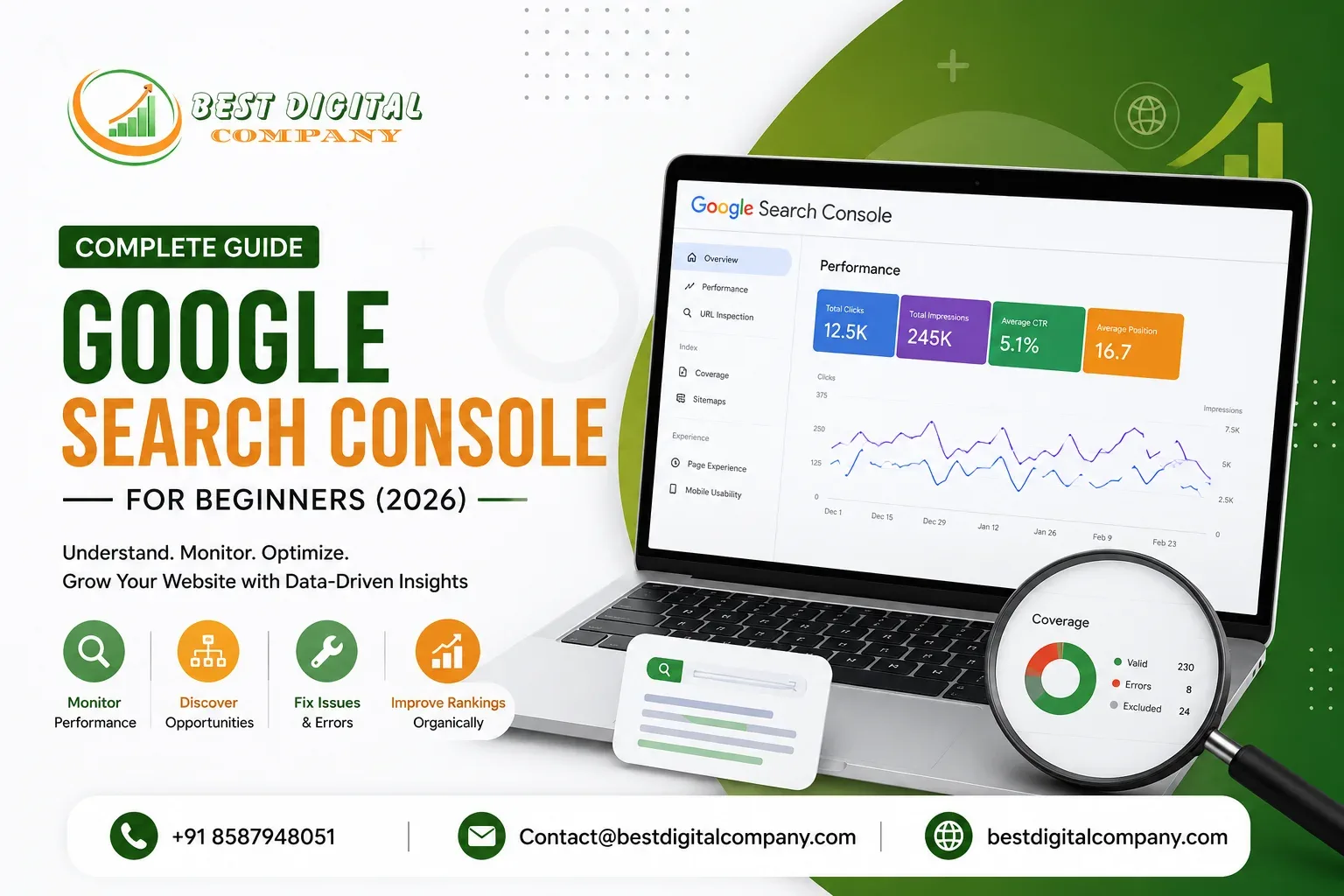
Google Search Console Complete Guide for Beginners (2026)

Google Search Console Complete Guide for Beginners (2026)

If you have ever published a page and then just… waited, hoping Google would notice it, you already understand why Google Search Console exists. Most business owners we talk to have heard the name before. Far fewer have actually opened the tool, connected their website to it, and used the data sitting inside to fix real problems. That gap is usually not a lack of interest. It is because nobody explained it in plain language.

This guide is written for exactly that person: someone who owns a website, cares about showing up on Google, and wants a straightforward walkthrough of Google Search Console without the jargon. We will cover what it is, how to set it up correctly, which reports actually matter in 2026, and how to use the data to make real decisions about your site.

What Is Google Search Console and Why It Matters in 2026

Google Search Console (often shortened to GSC) is a free tool from Google that shows you exactly how your website behaves in Google’s eyes. It tells you which pages Google has found, which ones it has indexed, which keywords are bringing people to your site, and which pages have technical problems stopping them from ranking at all.

Think of it as a direct line of communication with Google. Your website has an opinion about how good it is. Google has its own opinion, based on what it can actually crawl, read, and understand. Search Console is where you find out if those two opinions match.

In 2026, this matters more than ever. Google’s ranking systems have grown far more sensitive to page experience, content quality, and technical health. Websites that used to rank on design and guesswork alone are now being outperformed by sites that actively monitor their own data and fix issues early. Search Console is the single most reliable, completely free way to do that monitoring.

It’s also worth noting that Search Console reflects real user behavior and real crawl data straight from Google, not estimates from a third-party tool. That direct-source reliability is exactly why experienced SEO teams treat it as a first-party source of truth rather than just another dashboard.

Setting Up Google Search Console for the First Time

Getting started takes about ten minutes if you follow the steps in order.

Step 1: Create or sign in to a Google account.
Use a business email if you have one, ideally one that multiple team members can access later, since ownership and access get tied to this account.

Step 2: Add your property.
Go to Google Search Console and click “Add Property.” You will see two options:

  • Domain property: covers your entire domain, including all subdomains and both http/https versions. This is the more complete option.
  • URL prefix property: covers only the exact URL you enter, such as https://yourwebsite.com.

For most small and medium businesses, the domain property is the better long-term choice because it captures everything under one roof.

Step 3: Verify ownership.
Google needs proof that you actually control the website before it hands over the data. Common verification methods include:

  • Adding a DNS TXT record through your domain registrar
  • Uploading an HTML file to your server
  • Adding a meta tag to your homepage
  • Verifying through Google Analytics or Google Tag Manager, if already installed

DNS verification is generally recommended because it survives website redesigns, theme changes, and hosting migrations without breaking.

Step 4: Submit your sitemap.
Once verified, go to the Sitemaps section in the left sidebar and submit your sitemap URL, typically something like yourwebsite.com/sitemap.xml. This gives Google a structured map of every page you want indexed, instead of leaving it to discover pages purely by crawling links.

If your site was recently redesigned or migrated to a new platform, double-check that your sitemap is updating correctly before submission. A website redesign that isn’t handled carefully can quietly break internal links and confuse crawlers, which is a topic we’ve covered in more depth in our website redesign checklist.

Understanding the Performance Report

The Performance report is where most beginners spend the bulk of their time, and for good reason. It answers the question every website owner actually cares about: is anyone finding this site through Google, and if so, how?

The report gives you four key metrics:

  • Total clicks: how many times someone clicked through to your site from Google
  • Total impressions: how many times your page appeared in results, whether clicked or not
  • Average CTR (click-through rate): the percentage of impressions that turned into clicks
  • Average position: roughly where your page tends to appear for a given query

Here’s how to actually use this data instead of just glancing at it. Filter the report by query and sort by impressions. Any query with high impressions but low clicks is a signal that your title or meta description isn’t compelling enough, even if you’re technically appearing on the results page. That’s a quick, low-effort win: rewrite the title tag to be more specific and benefit-driven, then monitor the CTR over the following weeks.

On the flip side, queries with decent clicks but a weak average position tell you the opposite story. People want what you’re offering, but your page isn’t strong enough yet to hold a top spot consistently. That usually points to a content depth or authority problem rather than a technical one.

If you run a local business and most of your traffic depends on people nearby actually finding you, it helps to cross-reference this report against your Google Business Profile performance as well. We go into that connection in detail in our guide on why your Google Business Profile might not be ranking.

The Index Coverage and Pages Report

This is where technical problems surface, and it’s arguably the most important report for beginners to check regularly, even if it looks the least exciting.

The Pages report (previously called Index Coverage) sorts your URLs into two buckets: indexed and not indexed. Clicking into the “not indexed” side shows you why, using labels like:

  • Discovered, currently not indexed: Google knows the page exists but hasn’t crawled it yet, often due to low priority or perceived thin content
  • Crawled, currently not indexed: Google visited the page but chose not to add it to the index, usually a content quality signal
  • Duplicate without user-selected canonical: Google found multiple similar pages and doesn’t know which one to treat as the main version
  • Excluded by noindex tag: the page is deliberately blocked from indexing, which is sometimes intentional and sometimes a mistake left over from development

If you see a large number of important pages sitting in “Crawled, currently not indexed,” that’s rarely a technical bug. It’s almost always a content signal. Google crawled the page, read it, and decided it wasn’t worth showing anyone. The fix is usually to expand the content, add original insights, and remove anything that reads as filler.

This is also where a lot of WordPress sites run into trouble, since certain plugins can accidentally set pages to noindex or generate duplicate content through tags, categories, and archive pages. We break this down step by step in our WordPress SEO checklist, which is worth a read if your site runs on that platform.

Fixing Core Web Vitals and Page Experience Issues

Under the Experience section, Search Console reports on Core Web Vitals, which measure how a page actually feels to use rather than just how it’s coded. The three metrics are:

  • Largest Contentful Paint (LCP): how quickly the main content loads
  • Interaction to Next Paint (INP): how responsive the page feels when someone taps or clicks
  • Cumulative Layout Shift (CLS): how much the page visually jumps around while loading

Pages are grouped into Good, Needs Improvement, and Poor. If a large chunk of your mobile pages fall into Poor, that’s directly working against your rankings, since Google has made page experience a confirmed ranking factor for years now, and mobile usage continues to dominate search traffic.

The most common causes we see are unoptimized images, bloated third-party scripts (chat widgets, tracking pixels, ad scripts stacked on top of each other), and web fonts that block rendering. Compressing images, deferring non-essential scripts, and choosing a lightweight, well-coded theme usually resolves the bulk of these issues without a full rebuild.

Using the URL Inspection Tool

The URL Inspection tool sits at the top of Search Console and lets you check the exact status of any single page. Paste in a URL, and it tells you whether the page is indexed, when it was last crawled, whether it’s mobile-friendly, and whether there are any indexing issues specific to that page.

This tool becomes essential right after you publish something new. Instead of waiting days or weeks for Google to notice a fresh blog post or service page on its own, you can paste the URL into the inspection tool and click “Request Indexing.” This doesn’t guarantee instant ranking, but it does speed up discovery, which matters when timing is part of your strategy, such as publishing around a seasonal offer or a news-relevant topic.

It’s also the fastest way to confirm a fix actually worked. If you correct a noindex tag or resolve a canonical issue, running the URL back through this tool confirms whether Google has picked up the change, rather than guessing and hoping.

Reading the Links Report

The Links report shows two categories: external links pointing to your site from other domains, and internal links connecting your own pages to each other.

Most beginners only care about the external side, wanting to know who is linking to them. That’s valuable, but the internal linking data is arguably more actionable, because it’s something you have full control over. Pages with very few internal links pointing to them tend to get crawled less often and treated as lower priority by Google. If a key service page or a cornerstone blog post is sitting with almost no internal links, that’s worth fixing immediately by linking to it from other relevant, established pages on your site.

This is exactly the kind of structural issue that separates a site with decent content from one that consistently ranks. If you’re working with an agency or evaluating one, ask directly whether internal linking strategy is part of their process, since it’s often overlooked in favor of flashier, more sellable tactics. We’ve written about what a genuinely capable partner looks like in our guide on choosing the best website development agency and SEO company.

Mobile Usability and Manual Actions

Two smaller but important sections round out the technical side of Search Console.

Mobile Usability flags issues like text too small to read, clickable elements placed too close together, or content wider than the screen. Since the overwhelming majority of search traffic now comes from mobile devices, these aren’t minor cosmetic issues; they directly affect whether Google considers your pages fully accessible to the audience actually finding them.

Manual Actions is a section every website owner should check periodically, even if things seem to be going fine. This is where Google notifies you if a human reviewer has penalized your site for violating its guidelines, whether that’s due to spammy structured data, unnatural links, or thin auto-generated content. An empty Manual Actions page is a good sign. If something does appear here, it needs to be addressed and resolved before the rest of your SEO efforts will show any real results.

Turning Search Console Data Into an Actual Content Strategy

Here’s where a lot of beginners stop too early. They check the reports, note a few numbers, and move on. The real value of Search Console shows up when you use it to guide what you publish next.

Go back to the Performance report and filter by query, but this time sort by impressions from high to low, ignoring clicks entirely. Look for question-style or intent-heavy queries where your existing content only partially answers what people are asking. These represent real, already-existing demand. Building new content, or expanding an existing page, around these exact queries is far more reliable than guessing at topics from scratch.

This is also the mindset behind treating your Search Console data almost like a live customer research tool, similar to how new businesses figure out what their very first customers actually want. We talk through that same demand-first approach, just from a different angle, in our post on how small businesses can get their first 100 customers.

For local businesses specifically, cross-check location-based queries surfacing in your Performance report against your existing local content. If people are searching for your service alongside nearby area names and you don’t have a page addressing that combination, you’re leaving visibility on the table. Our local SEO checklist for small businesses walks through how to close that gap methodically.

Search Console and the Rise of AI-Driven Search

One thing worth understanding heading further into 2026 is that traditional search results are no longer the whole picture. A growing share of queries are now being answered directly inside AI-generated summaries and conversational tools before a person ever scrolls down to traditional listings.

Search Console still reports primarily on traditional web search performance, but the underlying signals it tracks (content clarity, structured data, page experience, crawlability) are the same signals that influence whether your content gets pulled into these AI-generated answers in the first place. In other words, cleaning up your technical foundation through Search Console isn’t just about classic rankings anymore. It’s foundational work for visibility across every surface where search is heading. We explore this shift more fully in our guide on Generative Engine Optimization, which is worth reading alongside this guide if you want the fuller picture.

Reporting on Search Console Data to Clients or Stakeholders

If you manage a website on behalf of a business owner, or you’re an in-house marketer reporting up to leadership, raw Search Console screenshots rarely land well. Numbers like “impressions increased 14%” mean very little to someone who isn’t fluent in search terminology.

The better approach is translating the data into outcomes people actually care about: more of the right people finding the site, fewer technical roadblocks standing between the business and its customers, and a clear trend line moving in the right direction month over month. We put together a detailed approach to this exact challenge in our post on creating an SEO report clients actually understand, which pairs well with the data you’ll be pulling straight from Search Console.

When You Might Need Professional Help

Search Console gives you the data, but interpreting it correctly and acting on it consistently takes time, and honestly, a fair amount of experience. Many business owners set the tool up, glance at it once, and then let months pass without checking back, missing indexing problems or Core Web Vitals slips that quietly chip away at their visibility.

If you’re running a business in a specific region and want hands-on support turning this data into consistent rankings, our regional teams work directly with local businesses on exactly this. Our SEO Services in Mumbai team regularly audits Search Console accounts for local businesses to catch indexing and coverage issues before they affect rankings.

SEO Services in Punjab

For businesses based in Punjab, our SEO Services in Punjab team focuses on combining technical fixes surfaced through Search Console with locally relevant content strategies, so the improvements actually translate into more calls and inquiries.

SEO Services in Haryana

Similarly, our SEO Services in Haryana team works with local businesses to interpret Performance and Coverage reports properly, prioritizing fixes that move the needle rather than chasing every minor metric.

Beyond regional SEO support, our broader Search Engine Optimization services cover full technical audits built around Search Console data, while our Web Development team handles the underlying fixes when Core Web Vitals or crawlability issues trace back to how the site itself is built. For businesses looking to build visibility beyond organic search alone, our Social Media Marketing and Pay Per Click services complement the organic groundwork Search Console helps you lay.

Bringing It All Together

Google Search Console isn’t a tool you set up once and forget. It’s closer to a dashboard for your website’s ongoing relationship with Google, one that rewards regular attention with fewer surprises and steadier growth. Start with the basics: get verified, submit your sitemap, and check the Performance and Pages reports weekly rather than monthly. Once that habit is in place, the deeper reports (Core Web Vitals, Links, Mobile Usability) become far easier to interpret, because you’ll already understand the baseline behavior of your own site.

The businesses that consistently rank well in 2026 aren’t necessarily the ones with the biggest budgets. They’re the ones that pay attention to what Google is actually telling them, and act on it before small issues become the reason a competitor shows up first.

Frequently Asked Questions

Is Google Search Console free to use?


Yes, completely. There’s no paid tier, no usage limit, and no catch. Google provides it because a healthier, better-understood web ultimately benefits its own search results too.

How long does it take for a new website to show data in Search Console?


Verification is instant, but data typically starts appearing within a few days to about two weeks, depending on how quickly Google crawls and begins indexing your pages. Submitting a sitemap and requesting indexing on key pages can speed this up somewhat.

Do I need Google Analytics if I already have Search Console?


They serve different purposes and work best together. Search Console shows how people find you before they arrive, including the exact queries and click-through data. Analytics shows what happens after they land, such as time on page and conversion behavior. Most established websites use both.

Why does my website show impressions but almost no clicks?


This usually means your page is appearing in results but the title or description isn’t convincing enough to earn a click, or your average position is too low for people to scroll down that far. Rewriting your title tag to be more specific and compelling is the first thing to test.

Can Search Console guarantee higher rankings?


No tool can guarantee rankings, and any promise like that should be treated with skepticism. What Search Console does is show you exactly where the problems are, whether that’s indexing, page experience, or content quality, so you can fix the right things instead of guessing.

What should a beginner check first when logging in?


Start with the Performance report to see what’s currently working, then move to the Pages report to spot anything that isn’t indexed correctly. Those two reports alone solve the majority of early-stage problems.

Is Search Console useful for a brand-new website with no traffic yet?


Especially so. A new site benefits the most from confirming indexing status early, catching structural issues before they compound, and requesting indexing on key pages rather than waiting passively for Google to discover them naturally.